Screenshots
A look at the Bor web console and agent in action
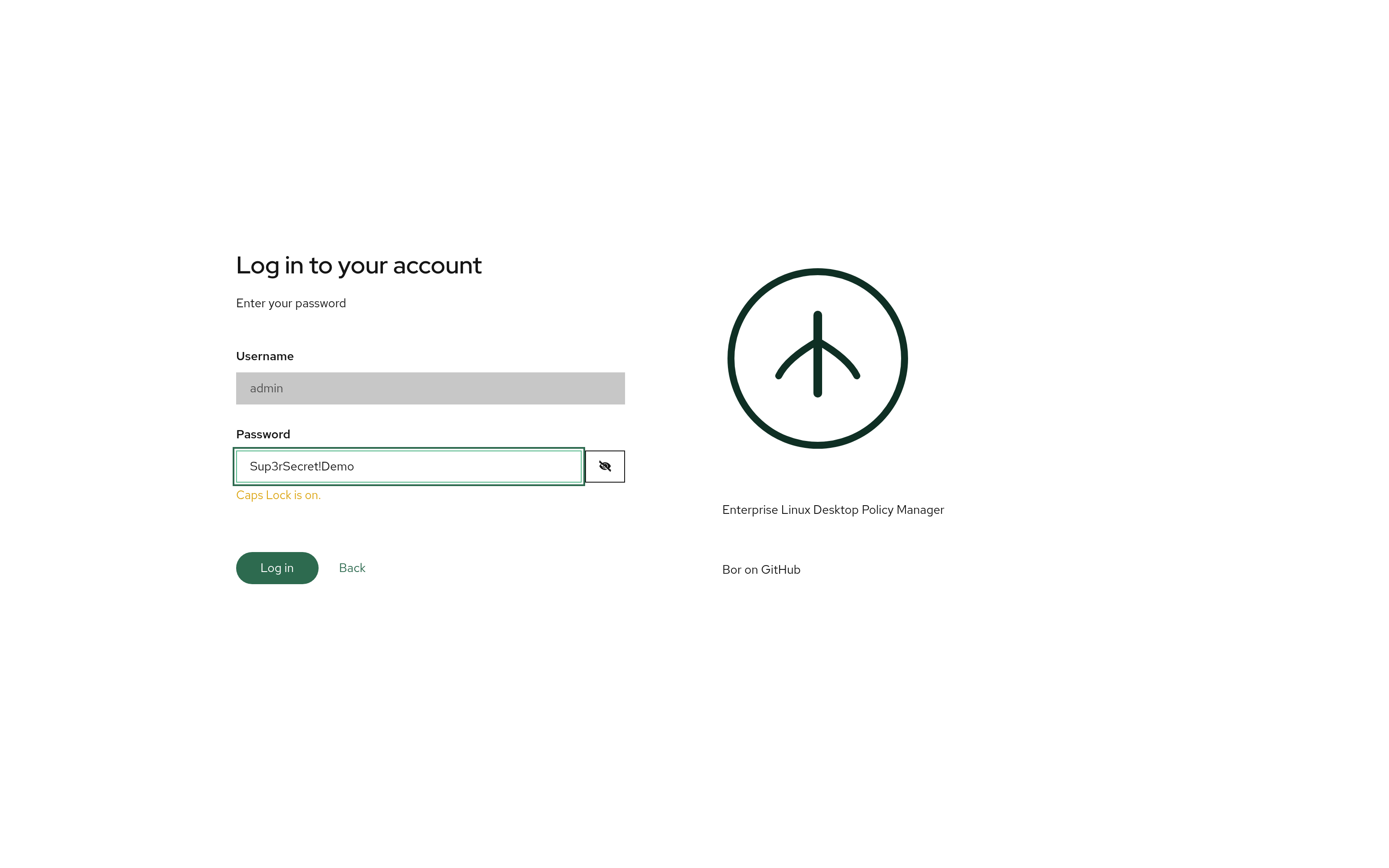
Two-Step Login
The redesigned login asks for the username first, then the password or MFA factor. The password step includes a reveal toggle and a live Caps Lock warning.
Dashboard
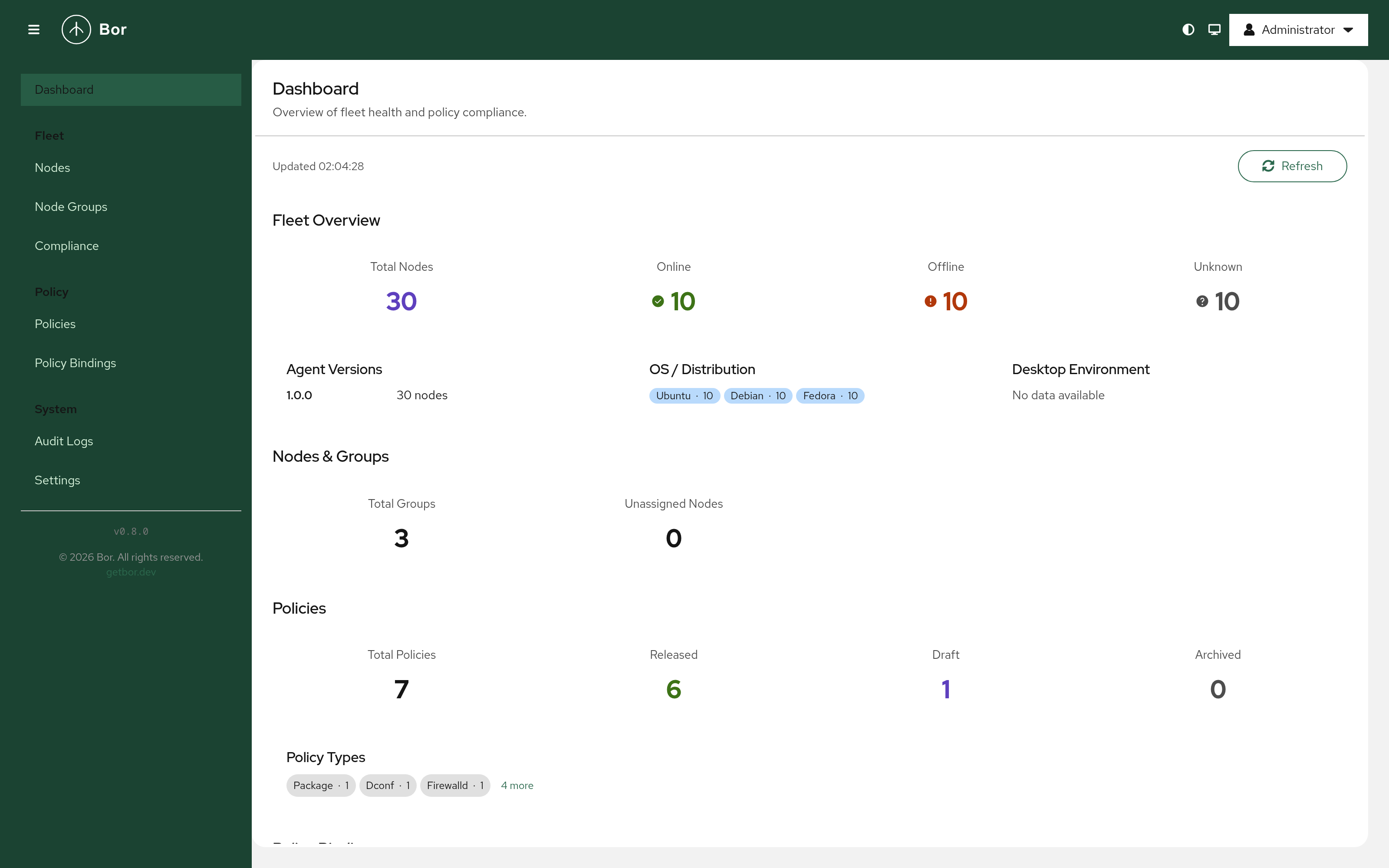
Fleet overview with drill-down stat tiles — node status, OS distribution, agent versions, and policy counts link straight to pre-filtered list views. The sidebar is grouped into Fleet, Policy, and System.
Dark Mode
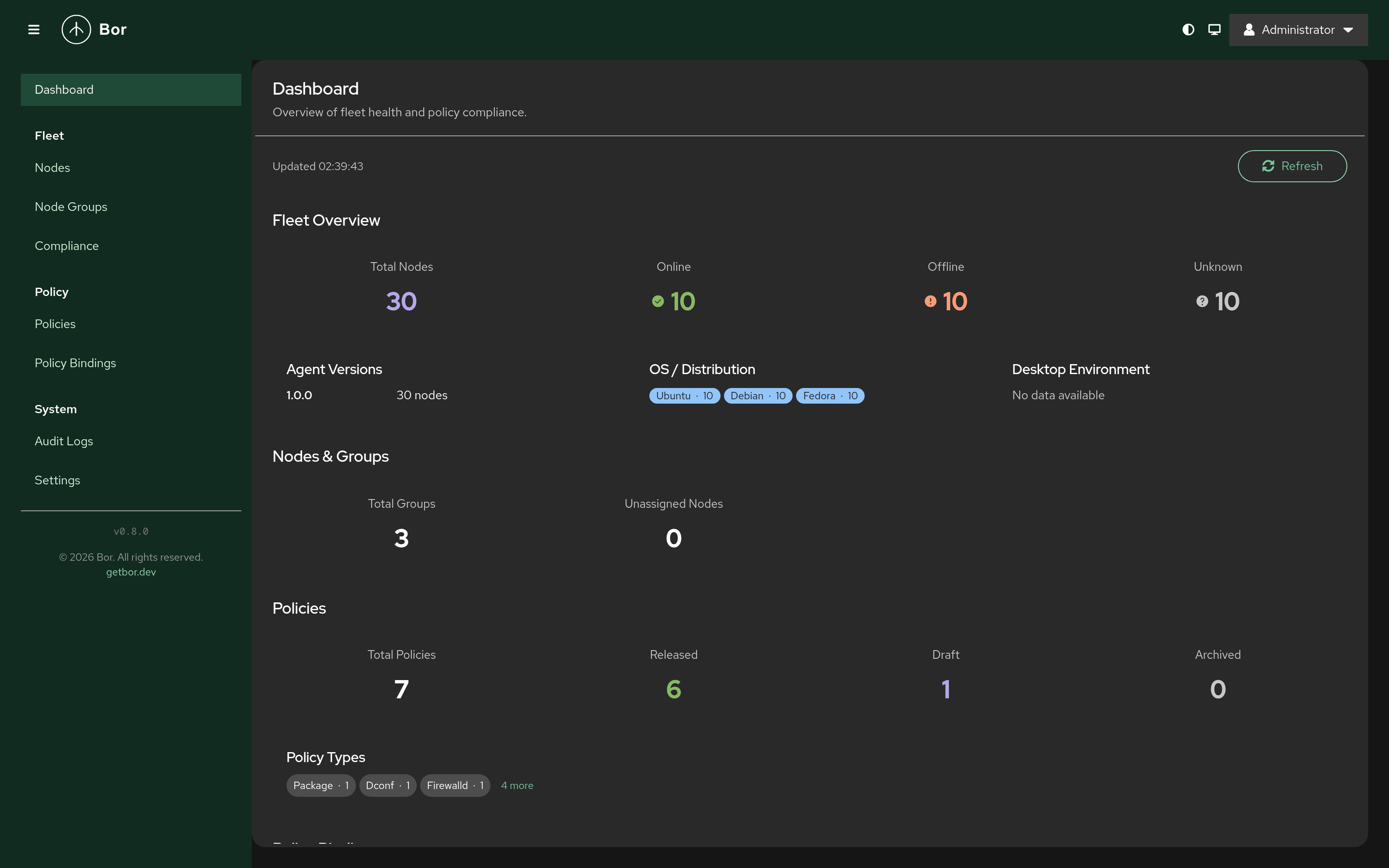
The entire UI is theme-aware — dark mode and high contrast are supported via PatternFly design tokens, switchable from the masthead.
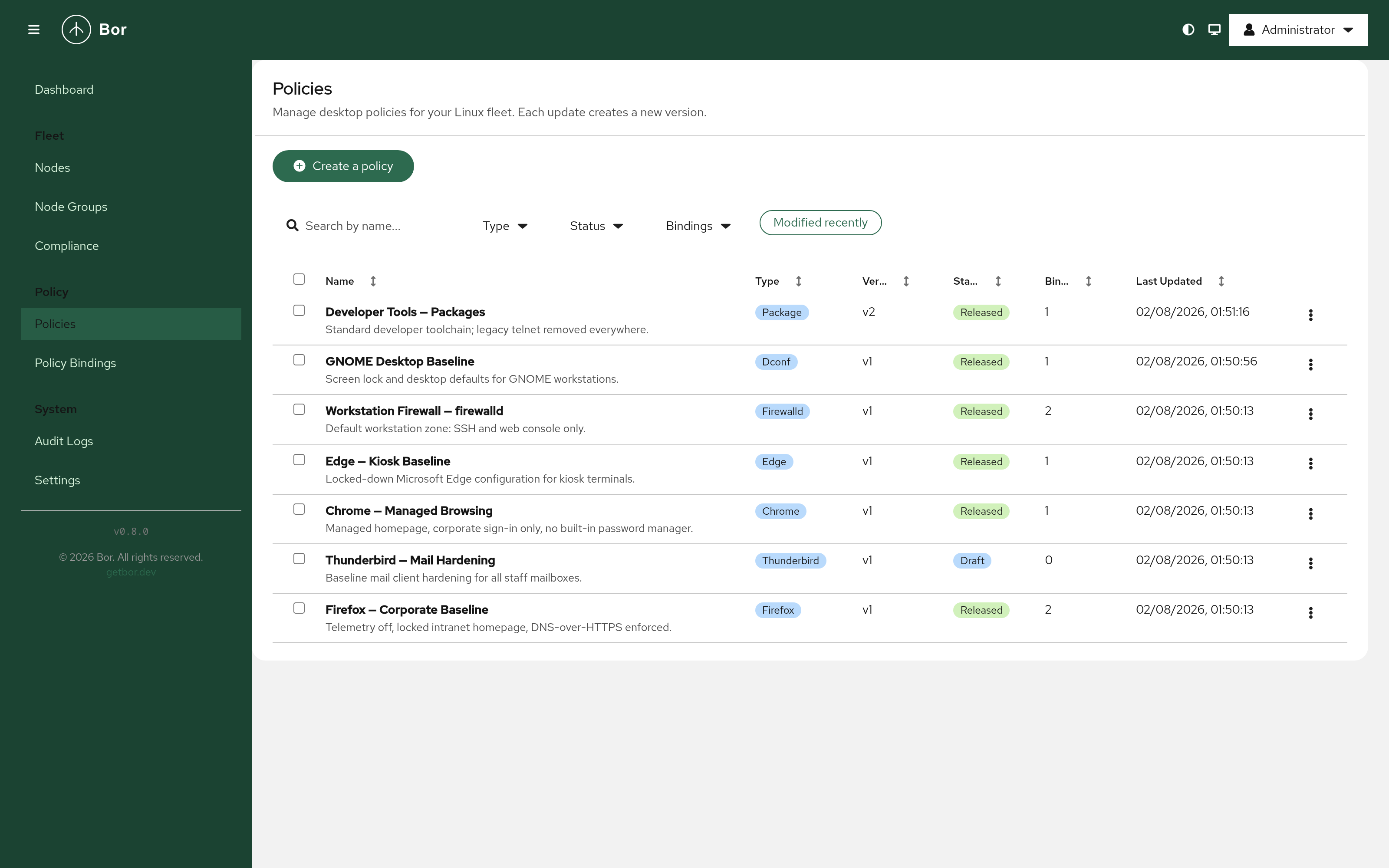
Policies
Browse and manage desktop policies with search and filtering by type, status, and bindings. Thunderbird, Microsoft Edge, and Firewalld policies join Firefox, Chrome, Package, dconf, KConfig, and Polkit — and policies are released or archived directly from the list.
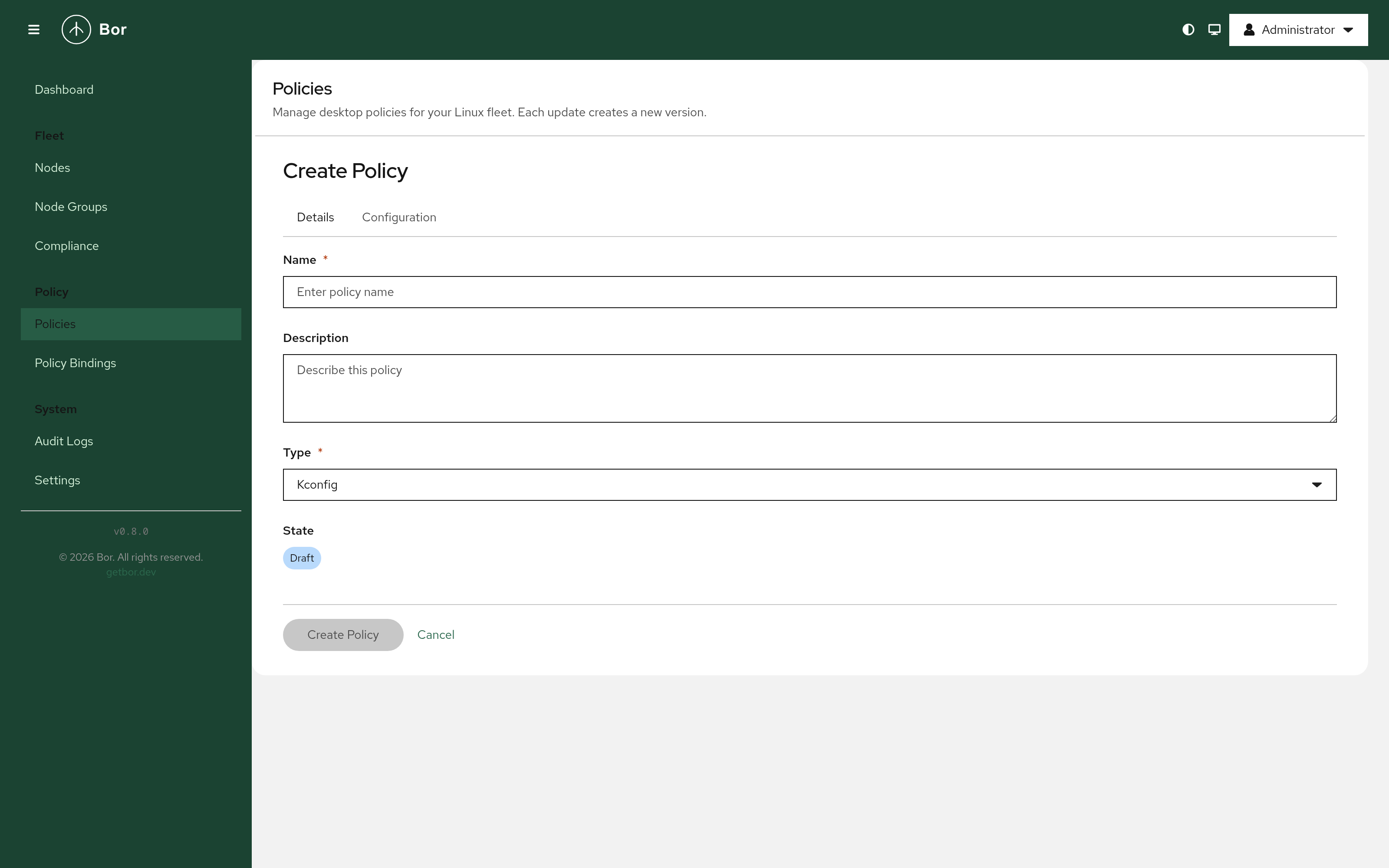
Policy Editor
Policies are created and edited on a full, deep-linkable page — no more stacked modals. Editors include an unsaved-changes guard, confirmation for destructive type changes, and JSON validation. Policies start in draft and are only delivered to agents once explicitly released.
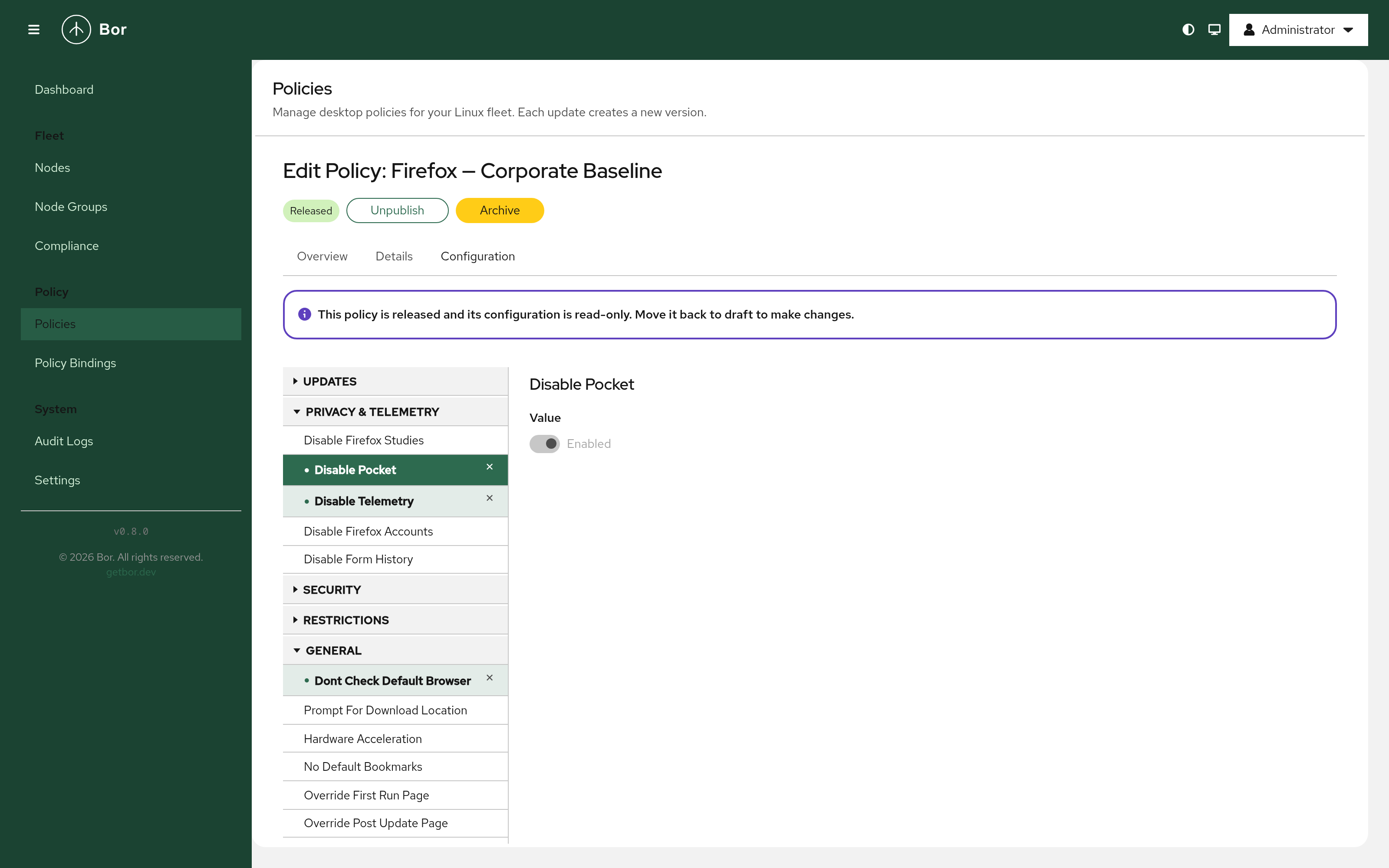
Firefox Policy Configuration
Granular Firefox ESR settings in the tree editor, organised by category — updates, privacy & telemetry, network, security, and more. Released policies show a read-only Configuration view with lifecycle actions (Unpublish / Archive) in the header.
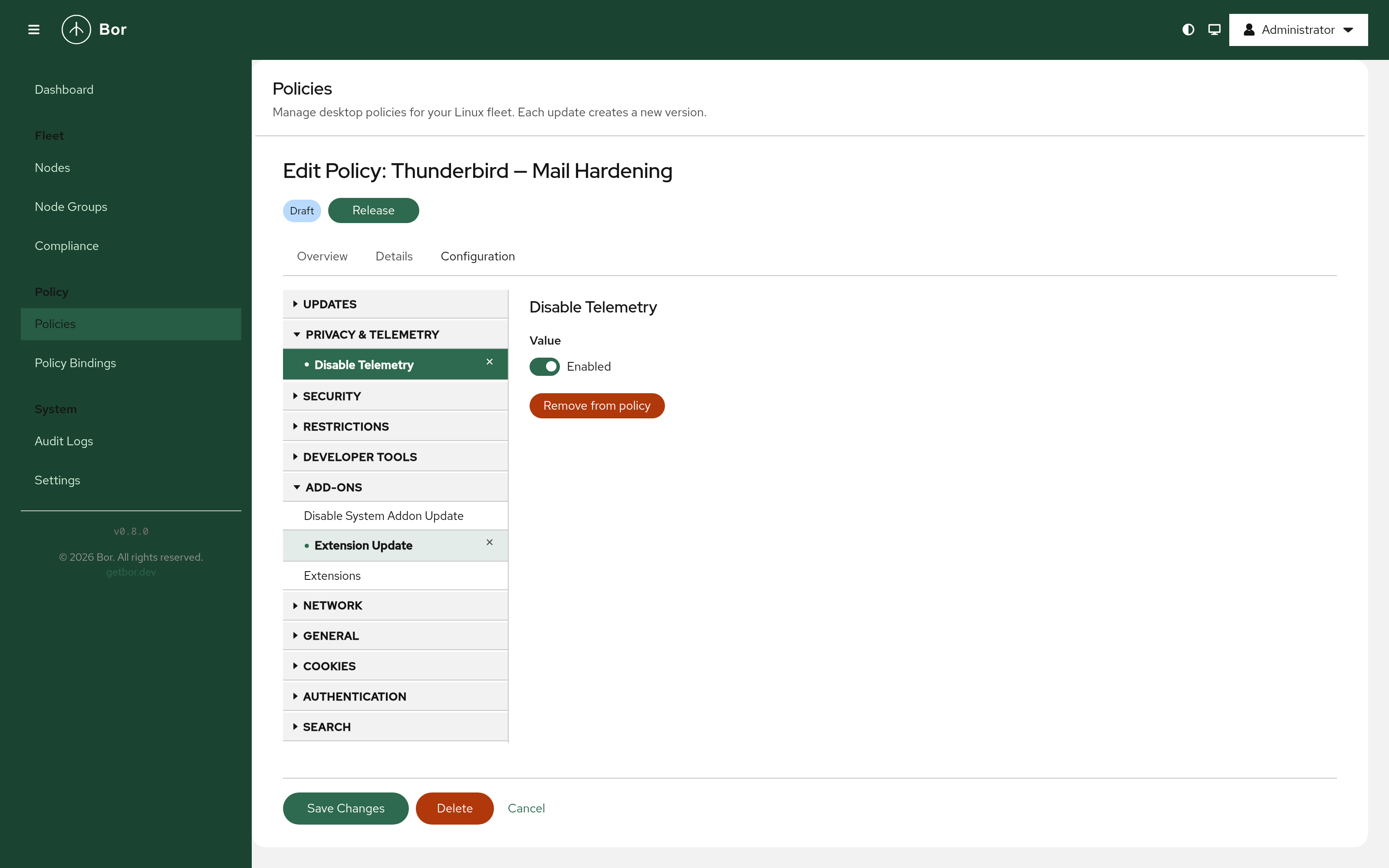
Thunderbird Policy
Manage Mozilla Thunderbird with the complete policy catalogue — the agent writes the managed policies.json, covering RPM/DEB and Flatpak installations alike.
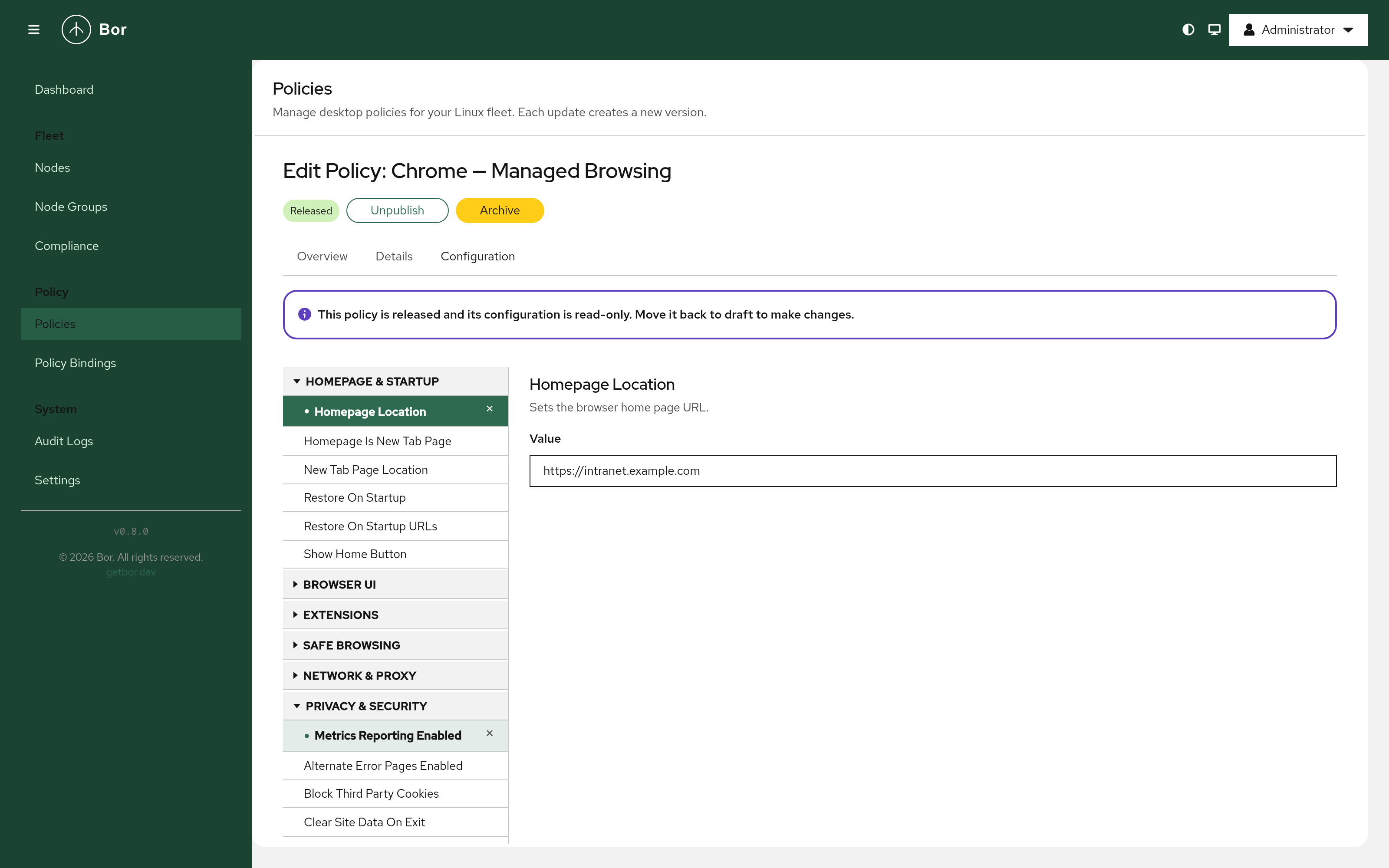
Chrome / Chromium Policy
Manage Chrome and Chromium settings — homepage and startup, browser UI, extensions, Safe Browsing, network/proxy, and privacy — through the same tree editor.
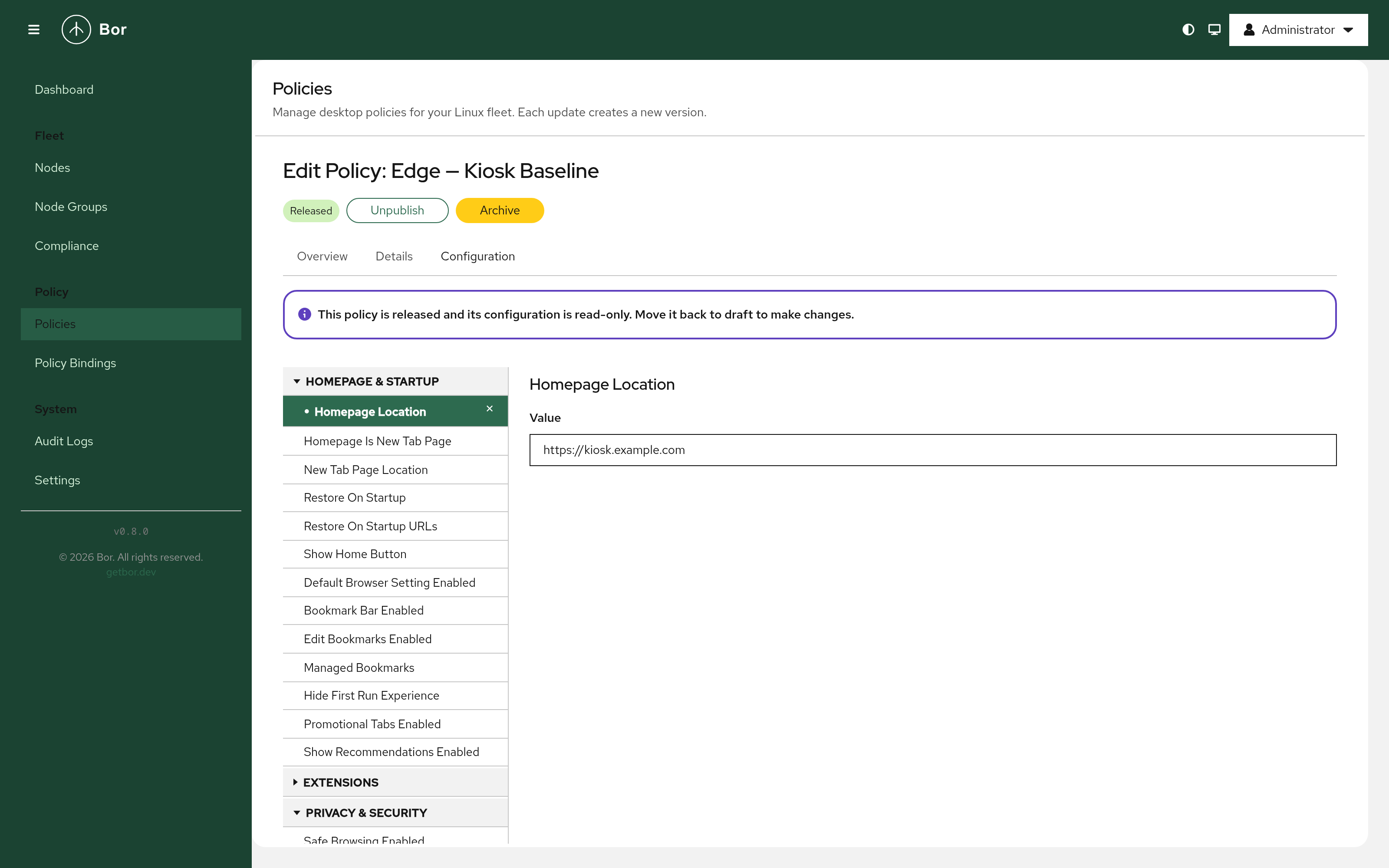
Microsoft Edge Policy
Manage Microsoft Edge for Business on Linux desktops. The agent writes bor_managed.json into each Edge managed-policy directory and cleans it up when the last bound policy is removed.
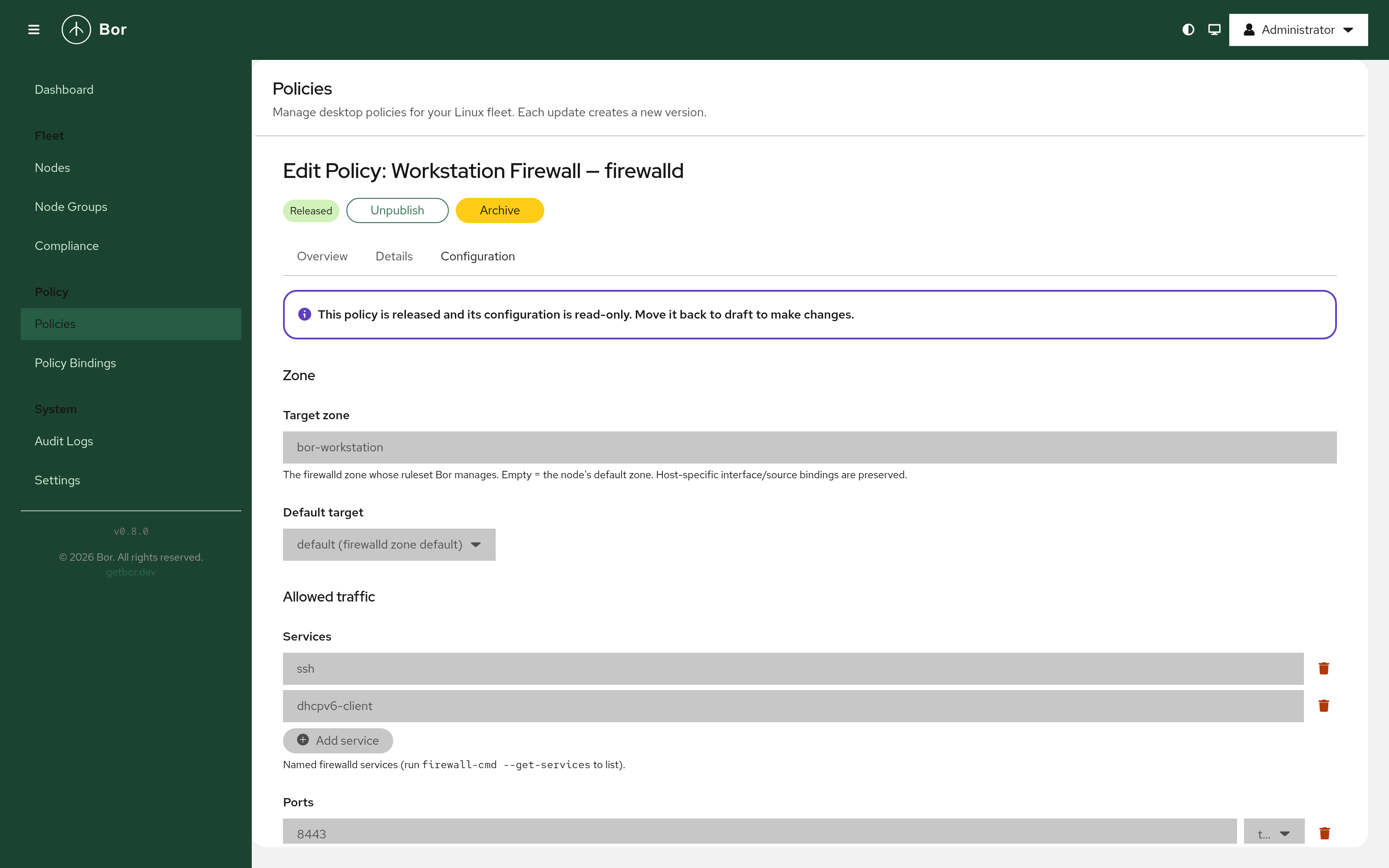
Firewalld Zone Policy
Manage firewalld zones on enrolled nodes — services, ports, forward ports, rich rules, masquerade, and zone target. The agent validates with firewall-cmd --check-config before reloading, and zone files are tamper-protected.
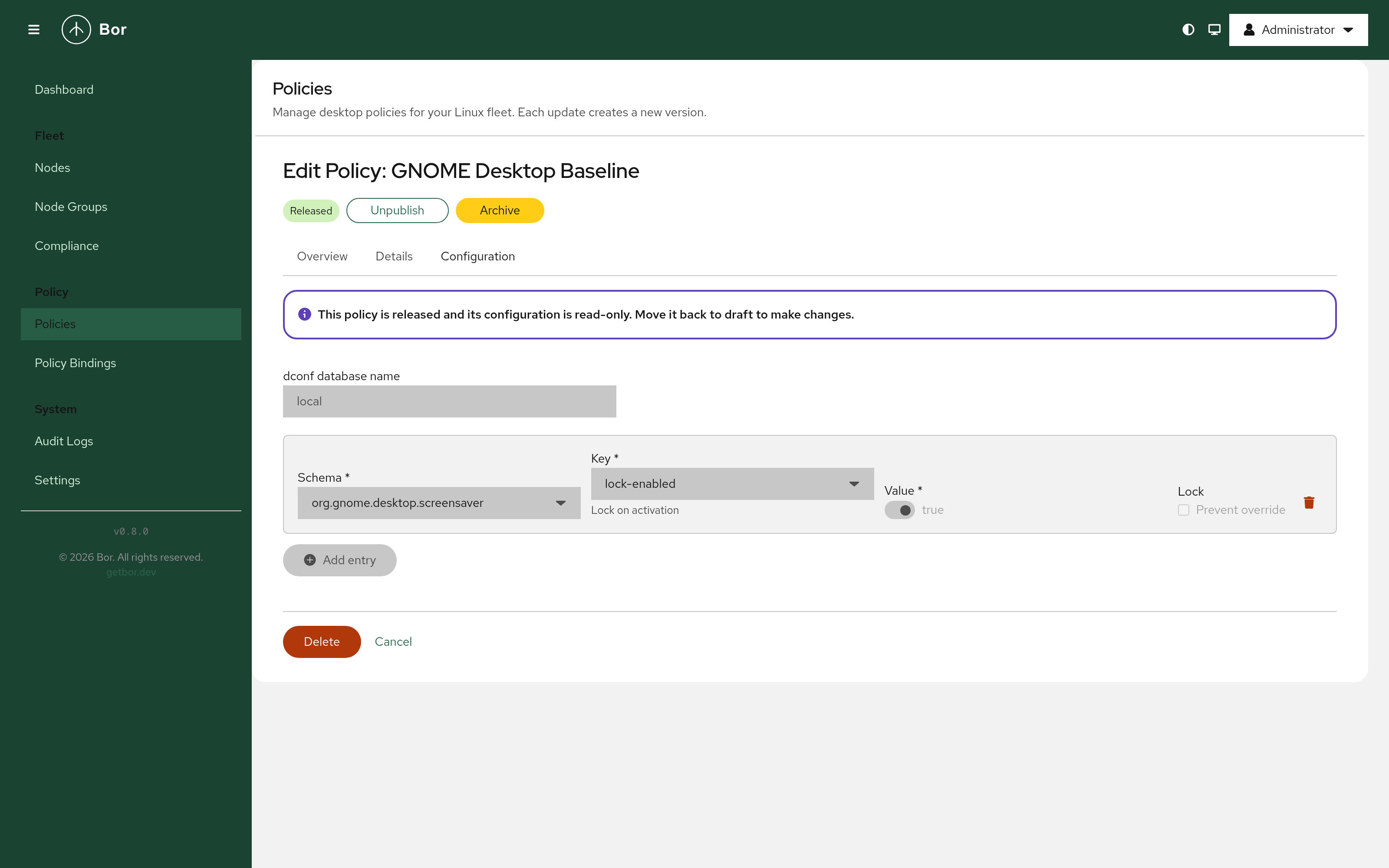
dconf / GNOME Policy
Define dconf key-value entries that the agent writes to the managed GNOME desktop. Each entry can optionally be locked to prevent user override.
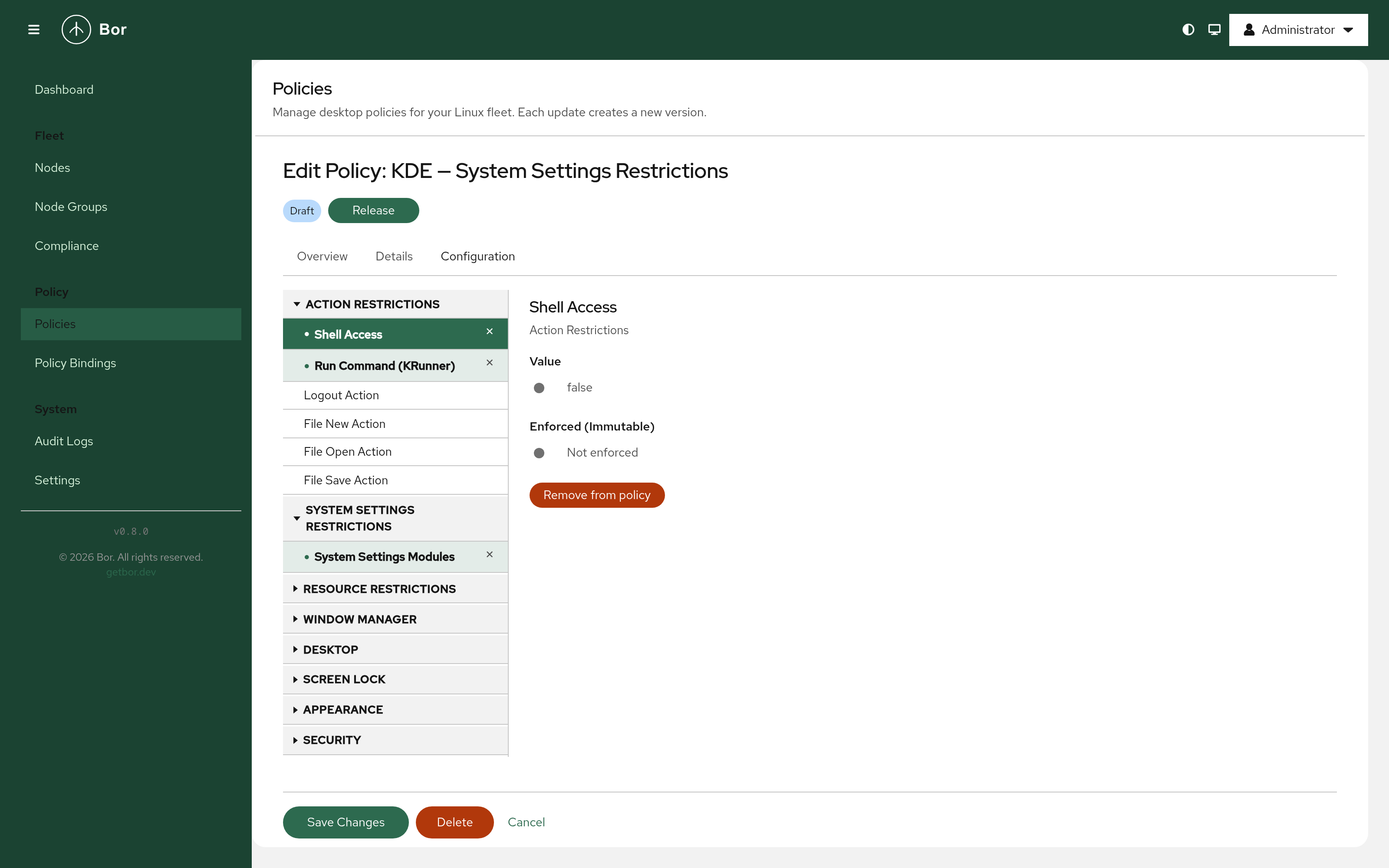
KDE/KConfig — Kiosk Restrictions
Restrict KDE Kiosk actions and lock down individual System Settings (KCM) modules by category — window manager, appearance, screen lock, security, and more. Restricted modules are hidden from users entirely.
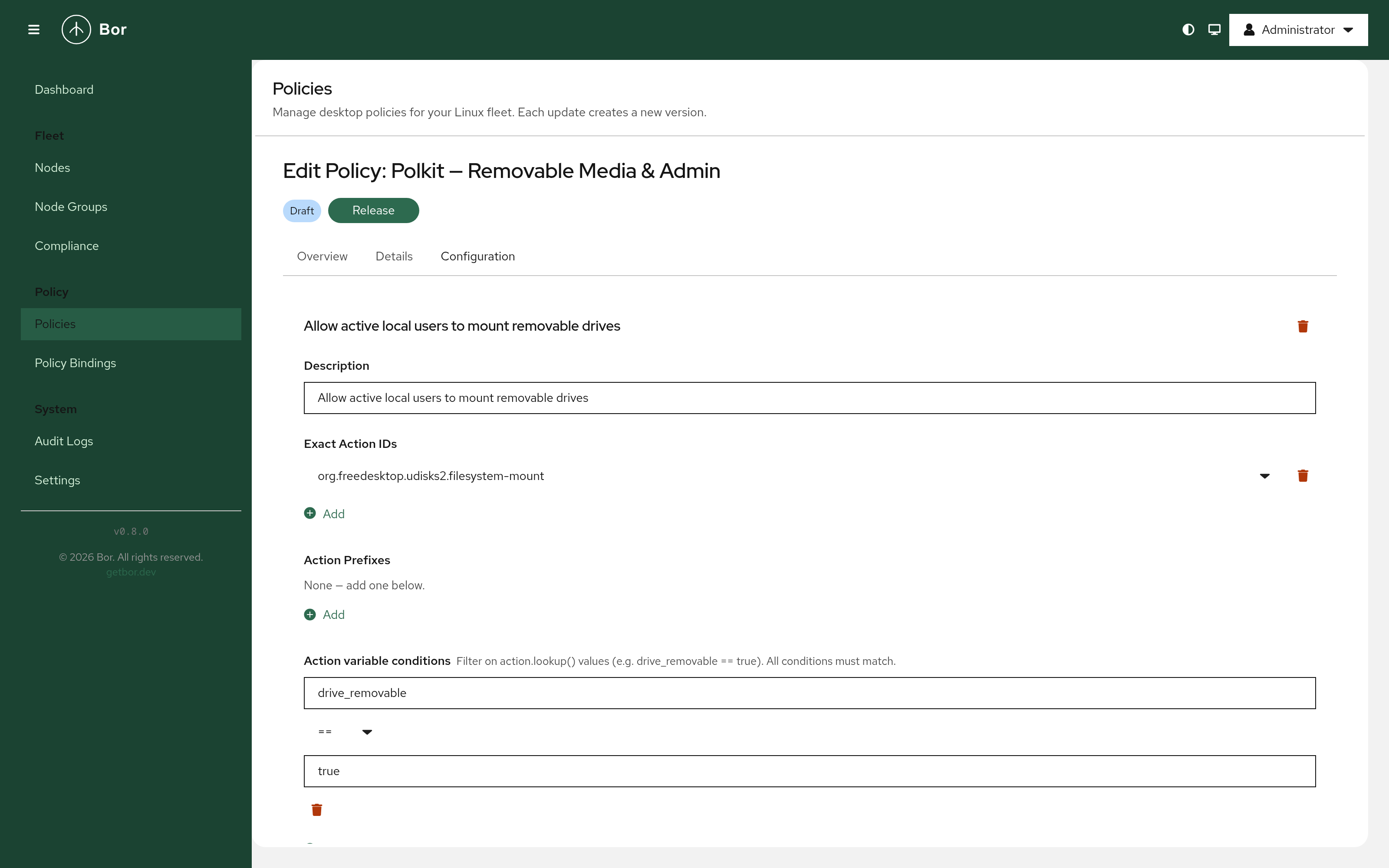
Polkit Policy
Author Polkit rules through a structured form — exact action IDs, action prefixes, subject filters, and action.lookup() variable conditions for matching on action variables. Bor generates and deploys the JavaScript rule automatically.
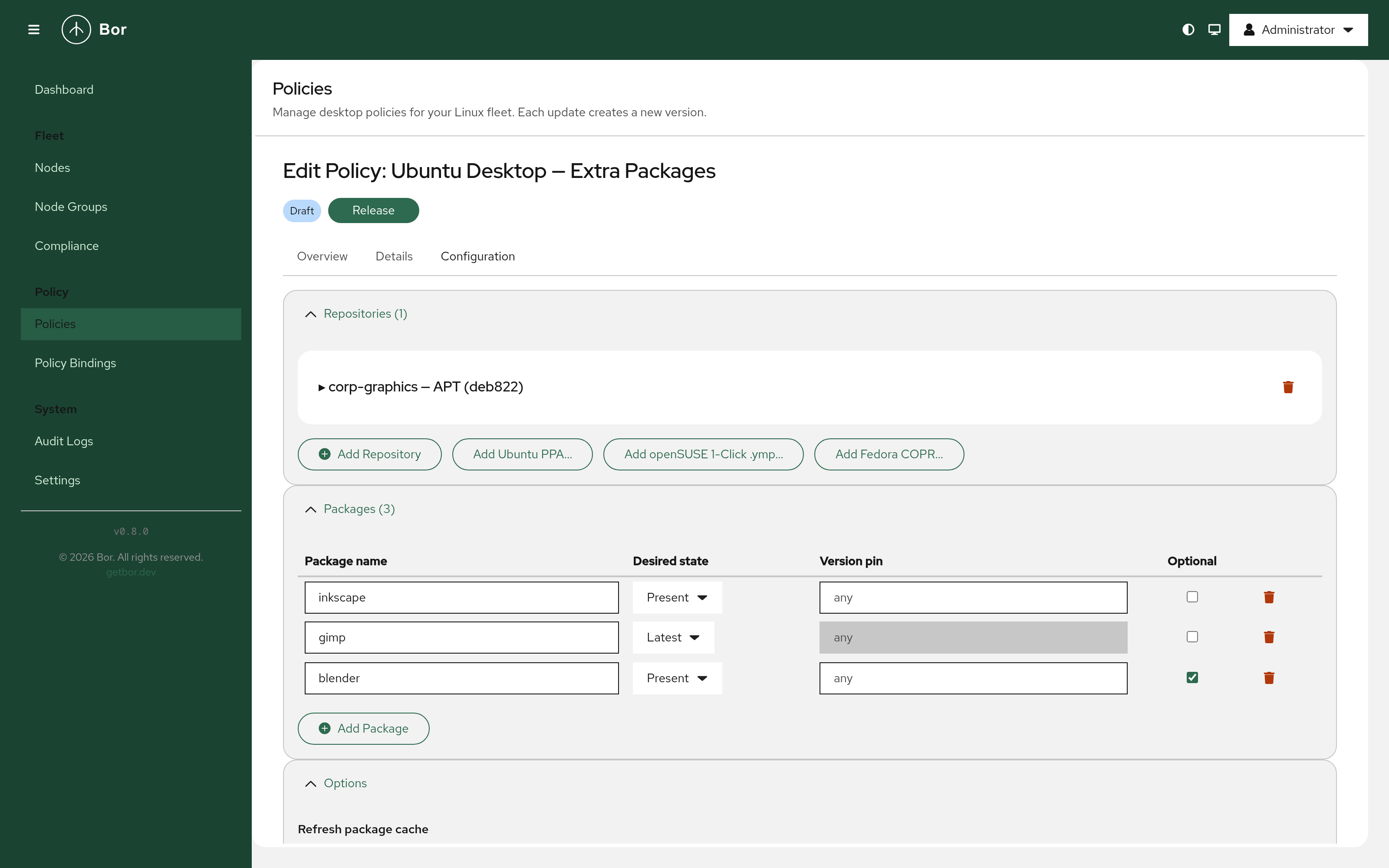
Package Policy — Repositories
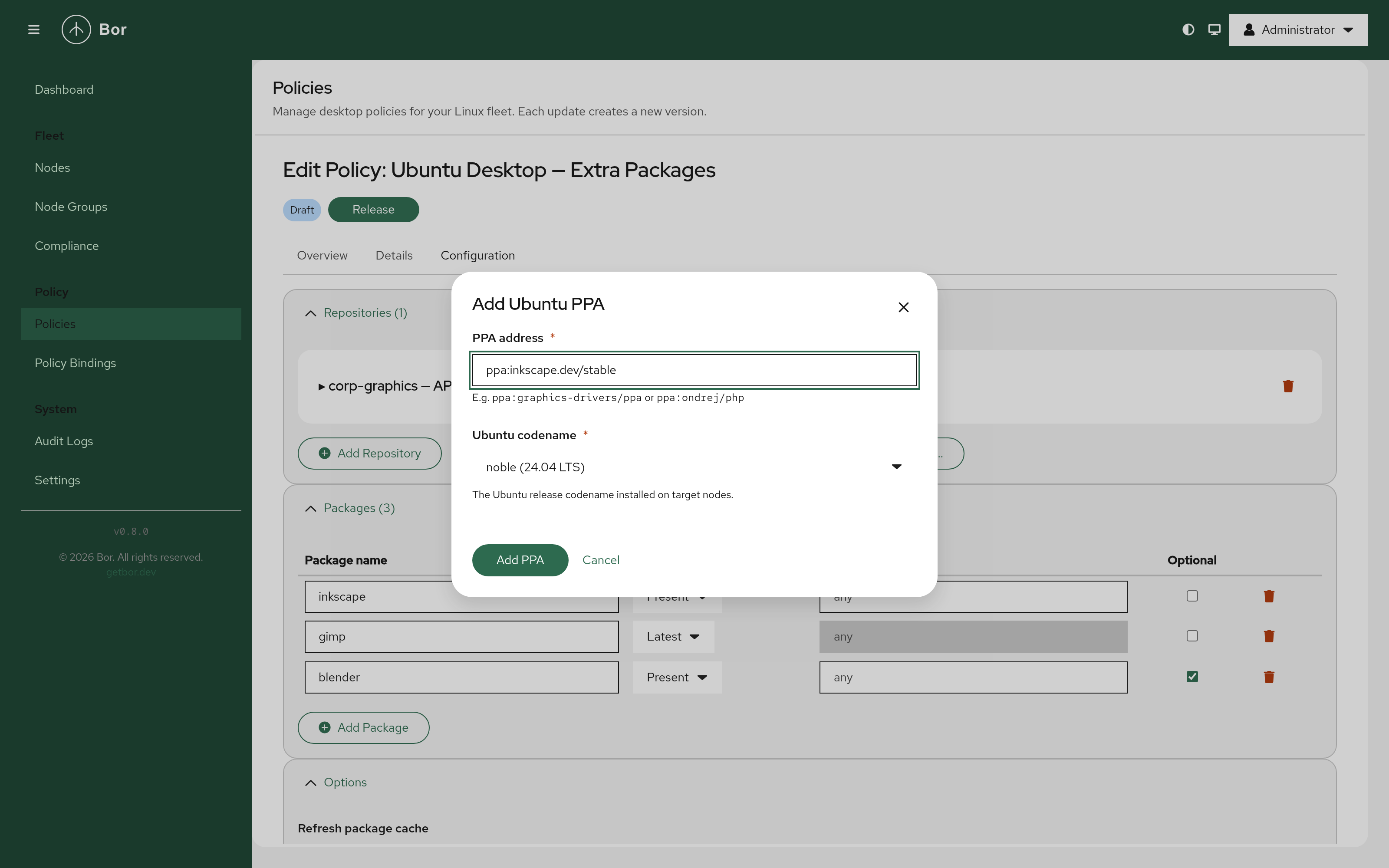
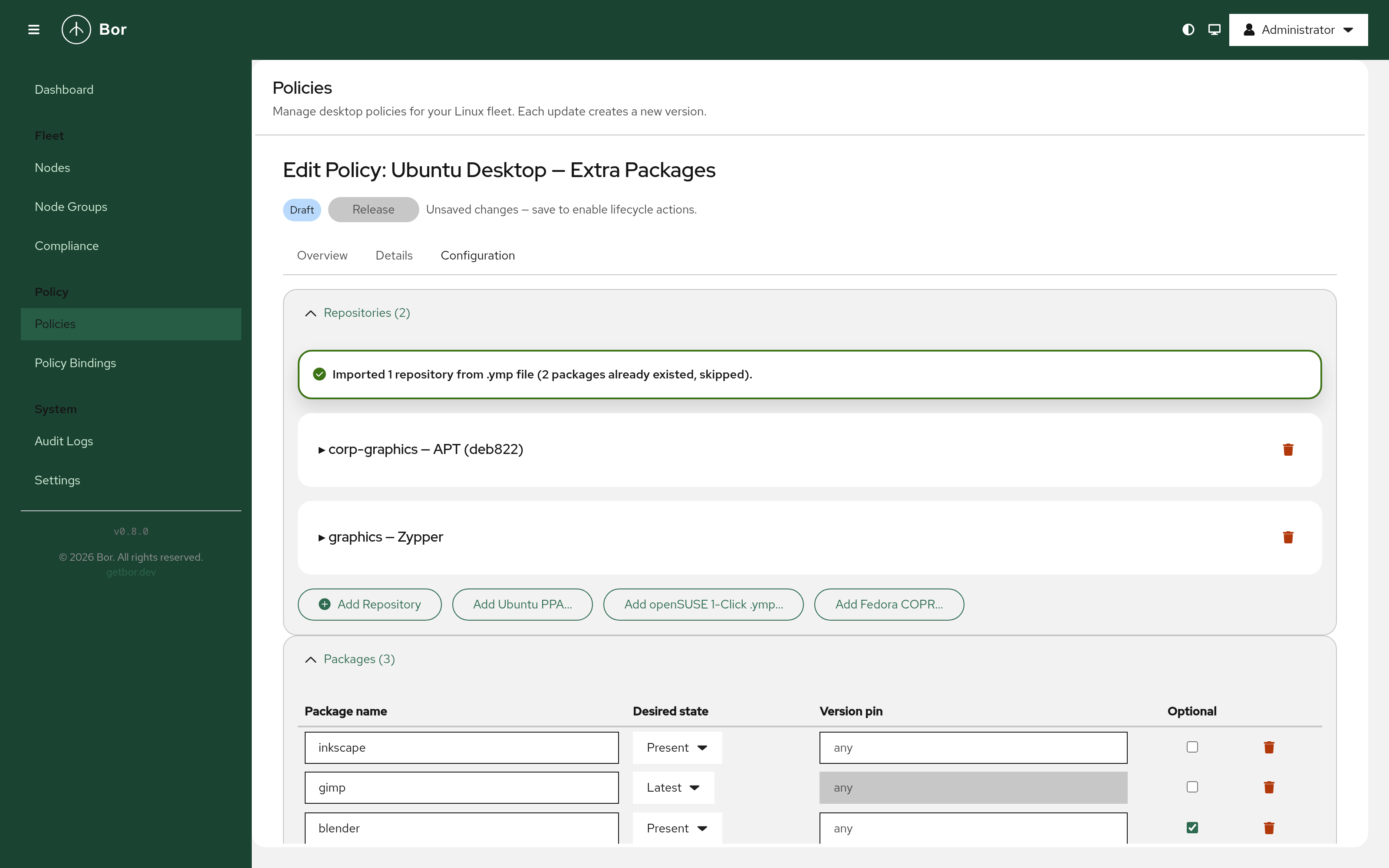
Add APT, DNF/YUM, or Zypper repositories to a Package policy — with one-click import helpers for Ubuntu PPAs, openSUSE 1-Click files, and Fedora COPR. GPG key upload is supported for all repository types.
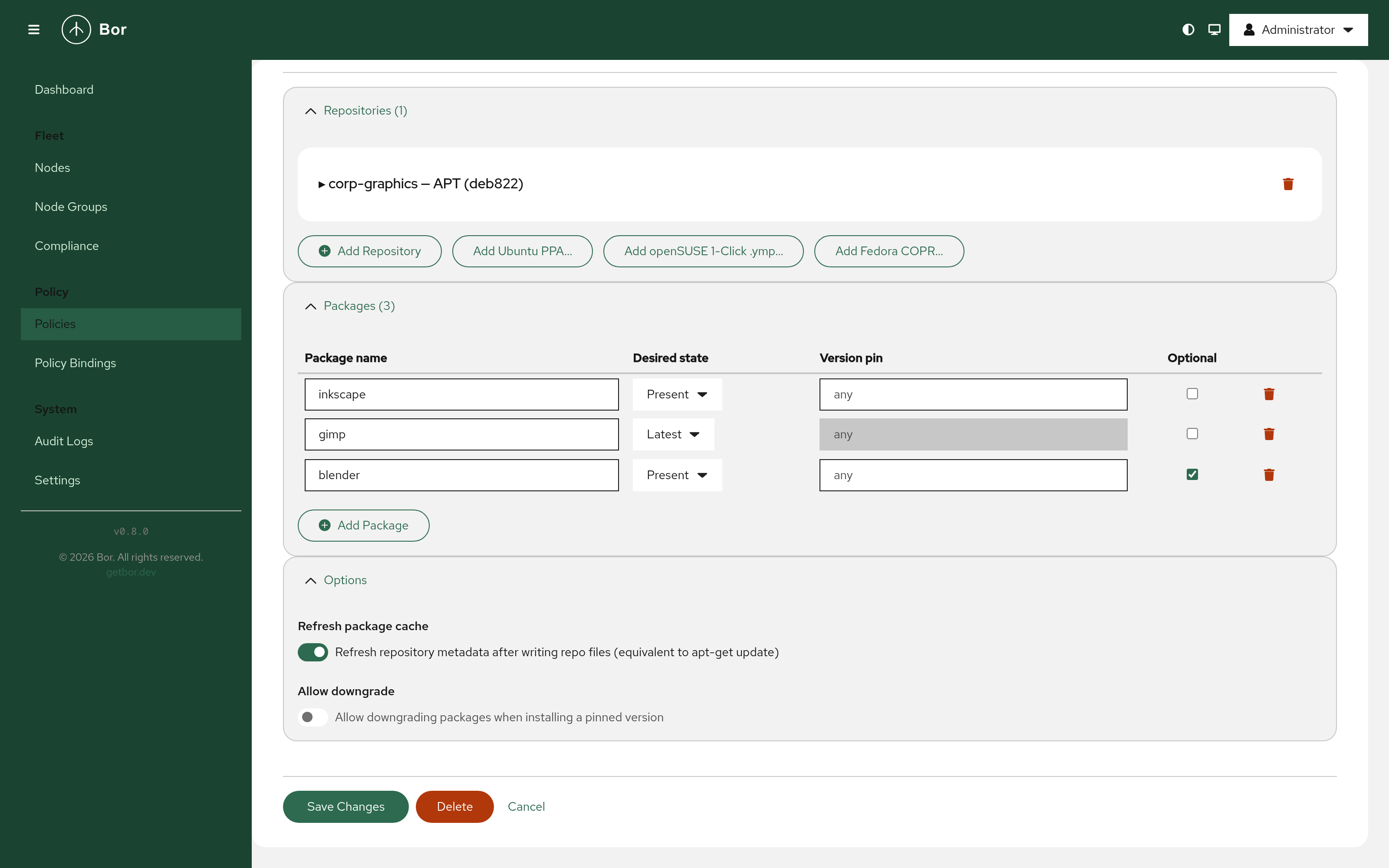
Package Policy — Packages
Manage individual packages with desired state (present, absent, or latest), optional version pinning, and an optional flag for non-critical packages.
Ubuntu PPA Import
Enter a ppa:owner/name address and select an Ubuntu codename. The server fetches the repository URI and signing key from Launchpad automatically.
openSUSE 1-Click (.ymp) Import
Upload a .ymp file and the server parses it, populating repositories and packages in one step — with duplicate detection for already-present entries.
Nodes
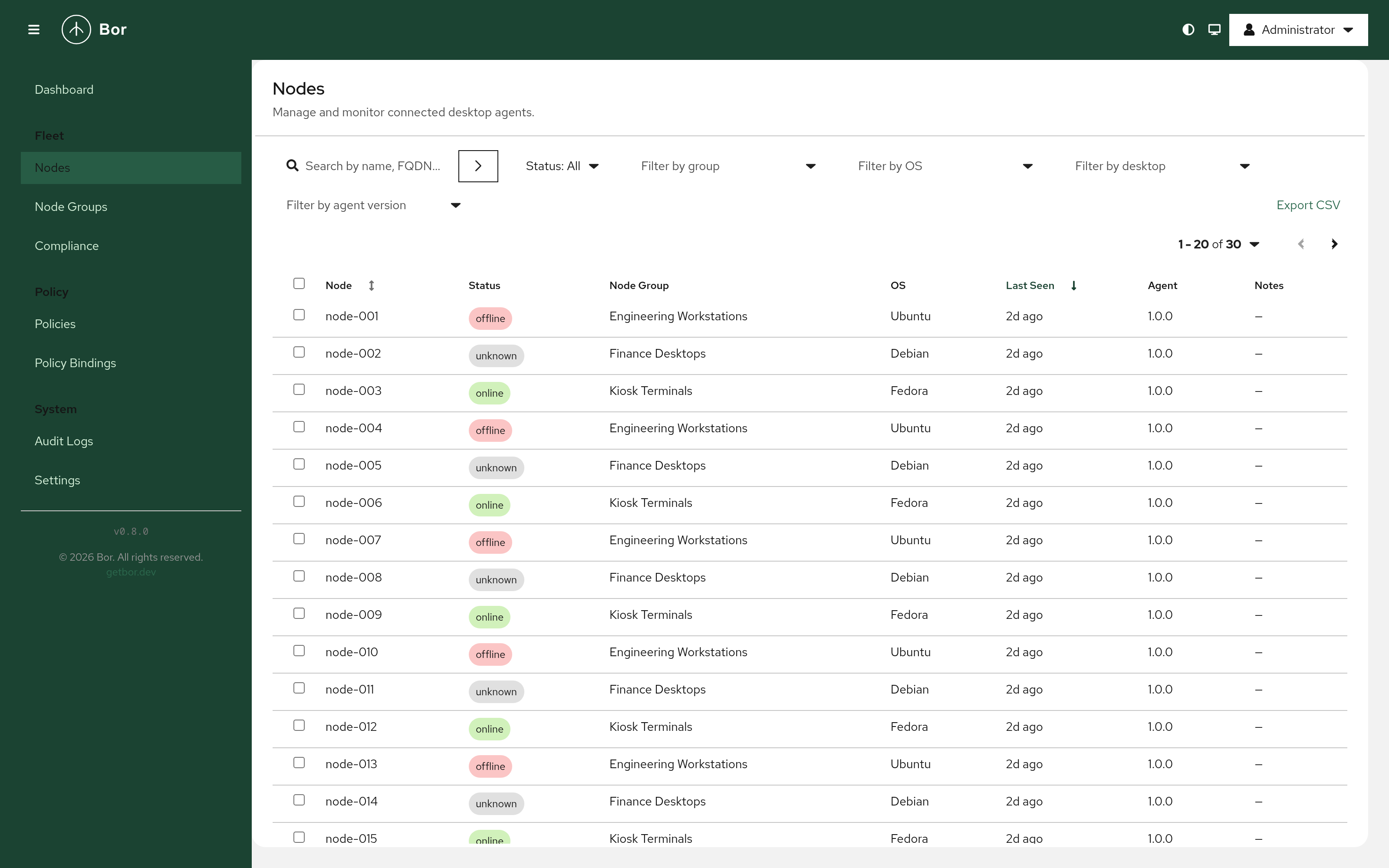
Monitor enrolled desktop agents with connectivity status, OS, group membership, last-seen time, and agent version. Lists are paginated, filtered, and sorted server-side, with searchable filter dropdowns, editable notes, and CSV export.
Node Groups
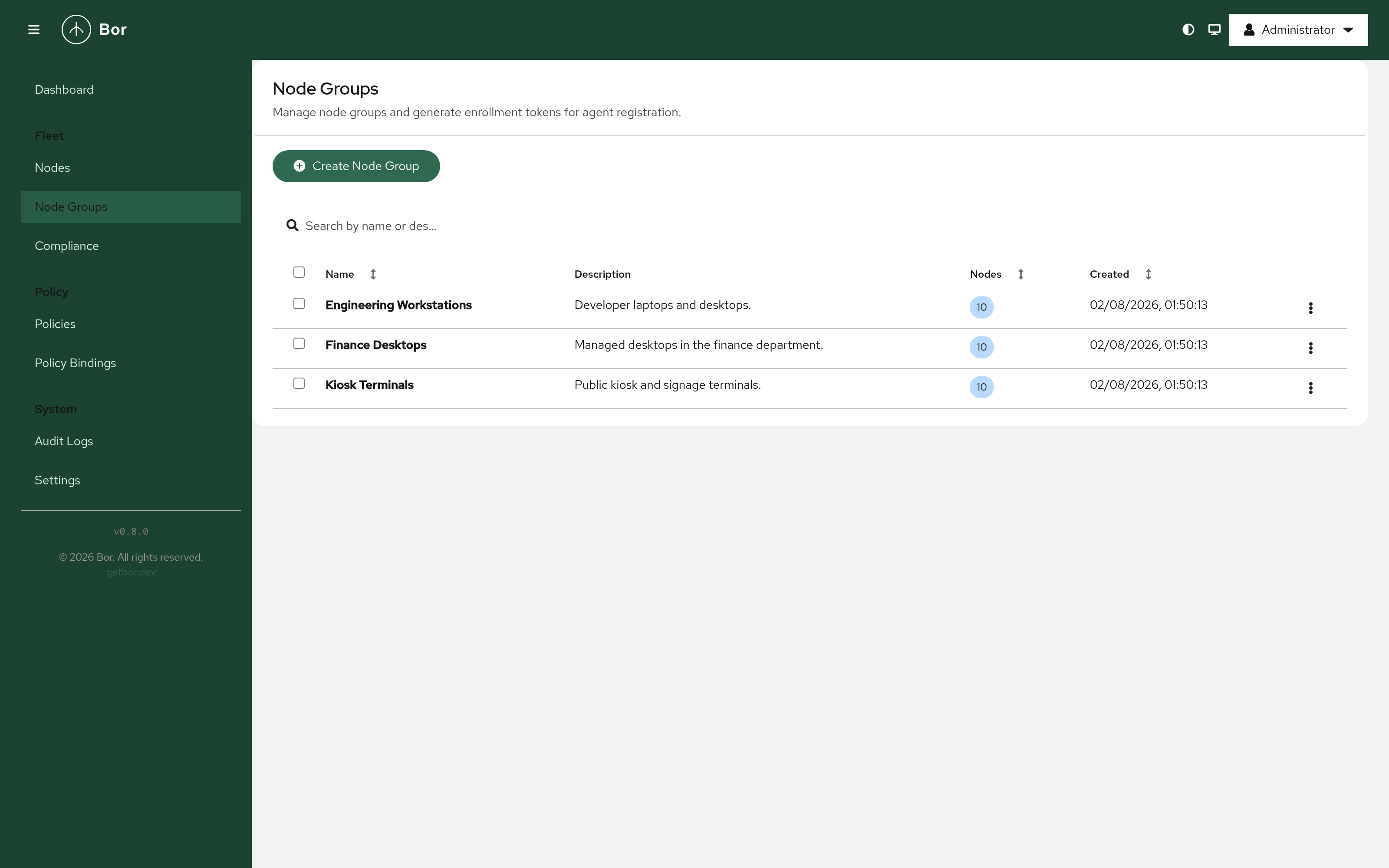
Organise nodes into logical groups. One-time enrollment tokens are generated per group and expire after five minutes.
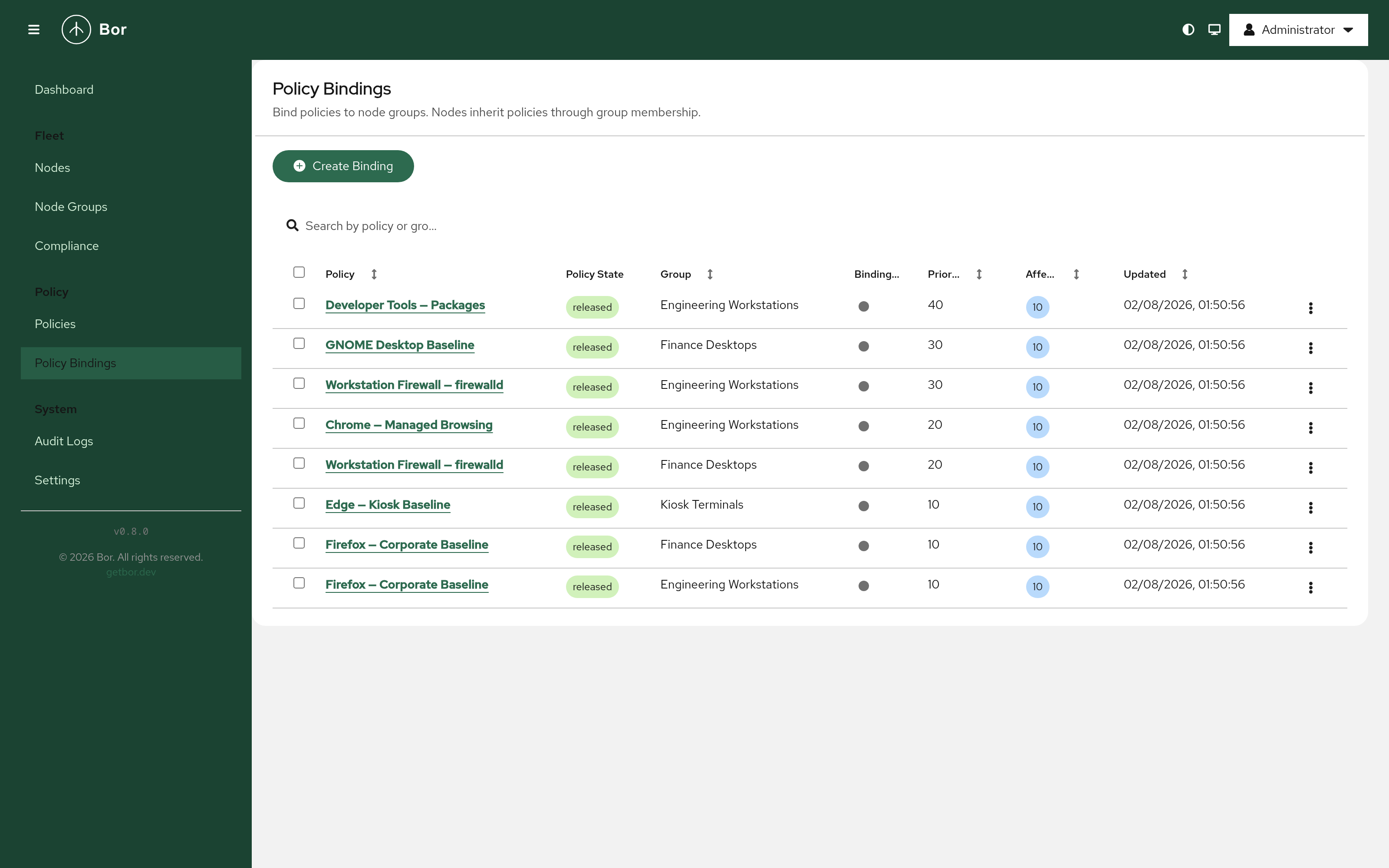
Policy Bindings
Assign policies to node groups. Nodes inherit all bindings from every group they belong to. A priority field controls which binding wins when multiple policies of the same type apply to the same node.
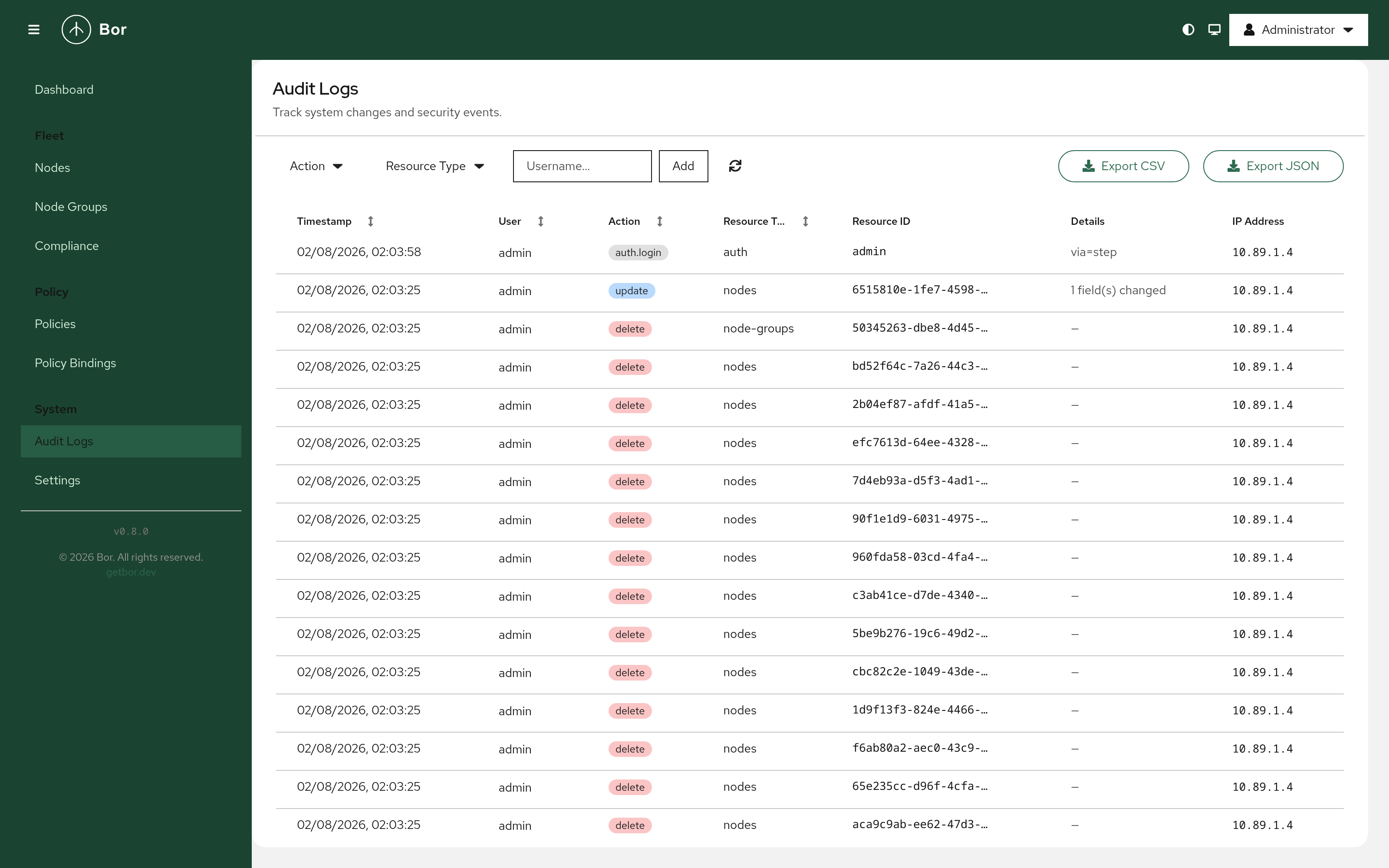
Audit Logs
Every administrative action is recorded with a timestamp, actor, action, resource, and source IP. Logs are searchable, filterable, and exportable as CSV or JSON — with spreadsheet formula injection protection built in.
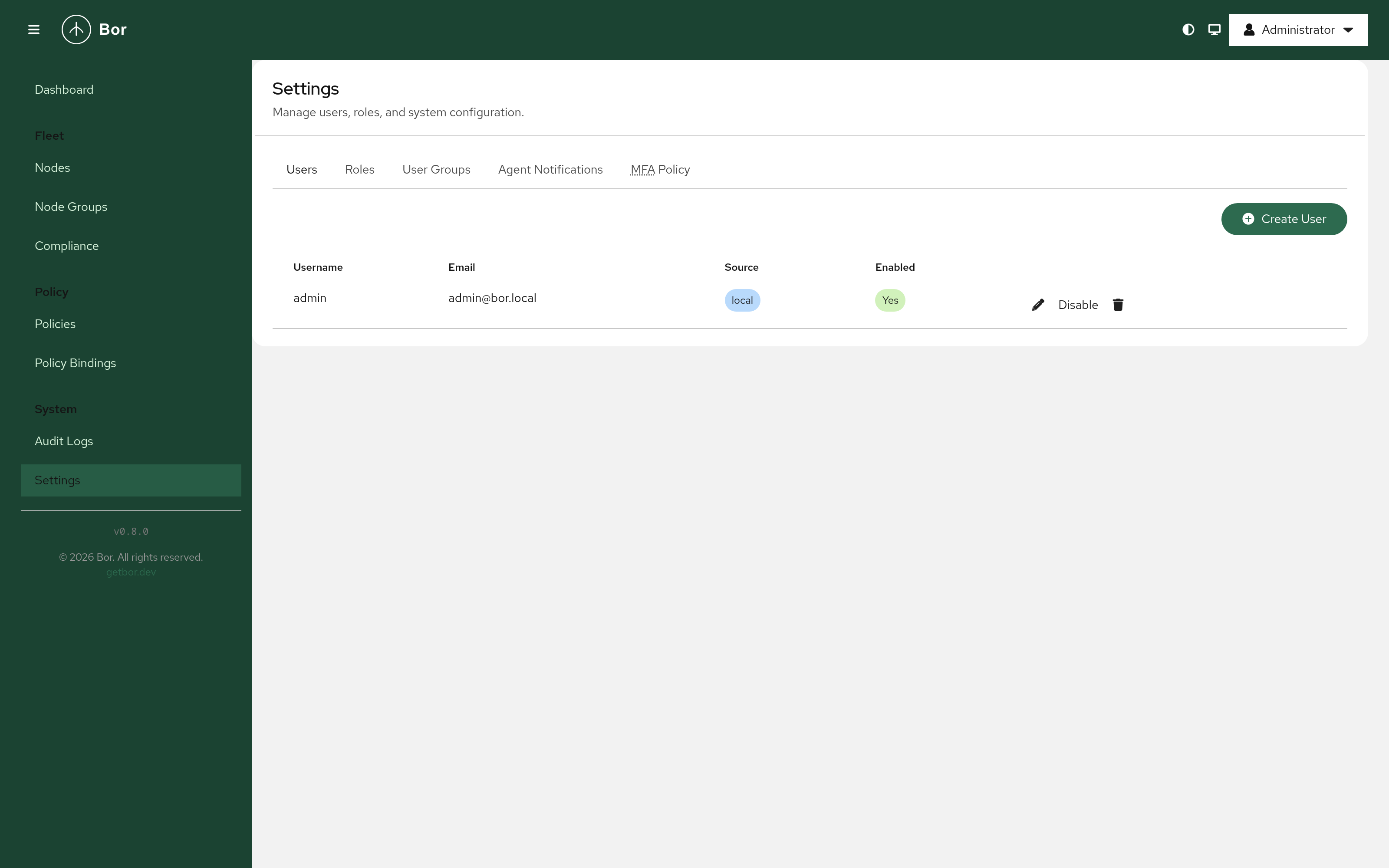
Settings
Administer users, roles, and user groups with per-action RBAC permissions, configure agent notifications, and enforce a fleet-wide MFA policy.
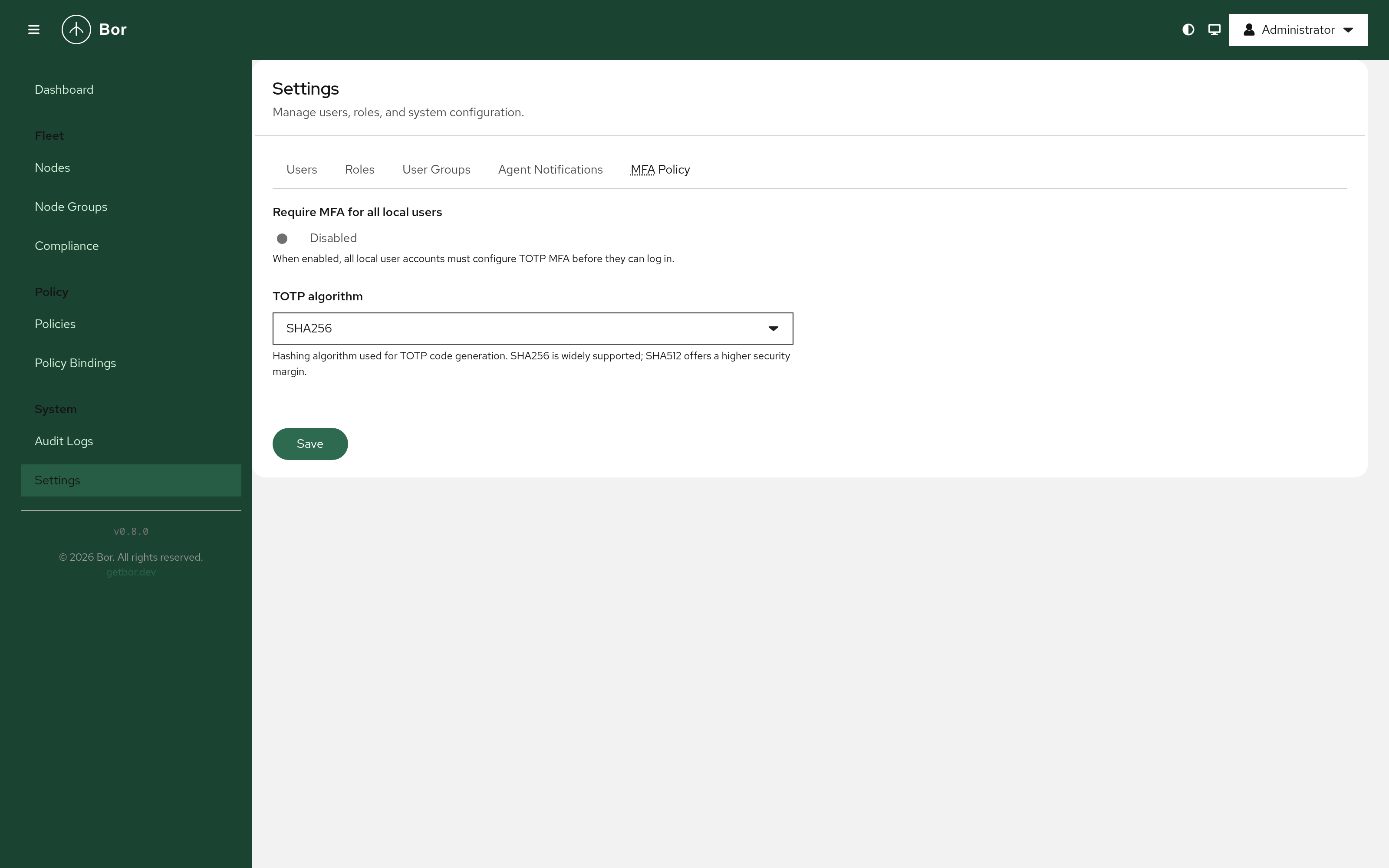
MFA Policy
Require multi-factor authentication for all local user accounts, with a configurable TOTP algorithm — SHA256 for broad compatibility or SHA512 for a higher security margin.
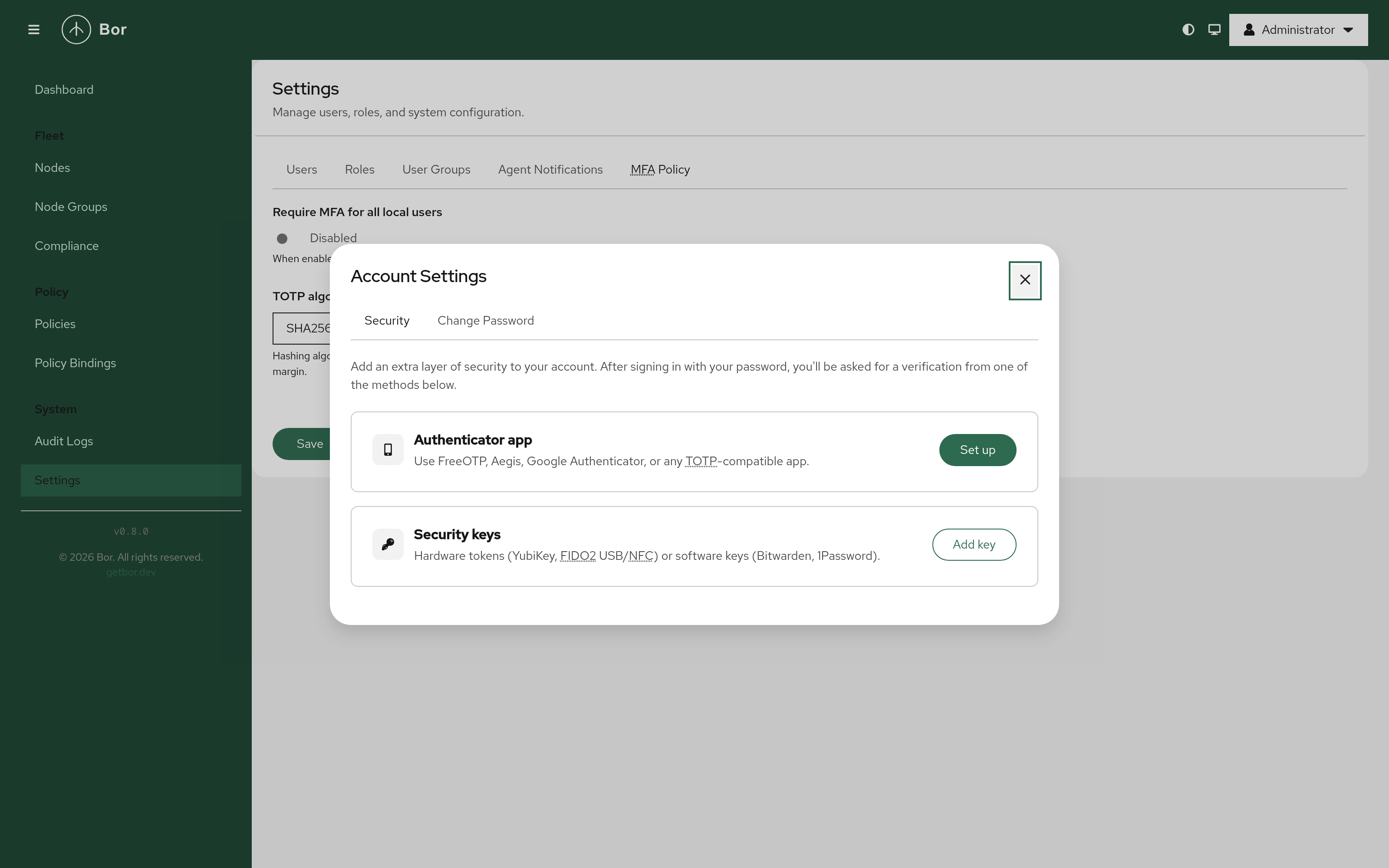
Account Security
Users can secure their account with a second factor: a TOTP authenticator app (FreeOTP, Aegis, Google Authenticator) or a hardware or software security key via WebAuthn/FIDO2 (YubiKey, Bitwarden, 1Password).
Two-Factor Enrollment
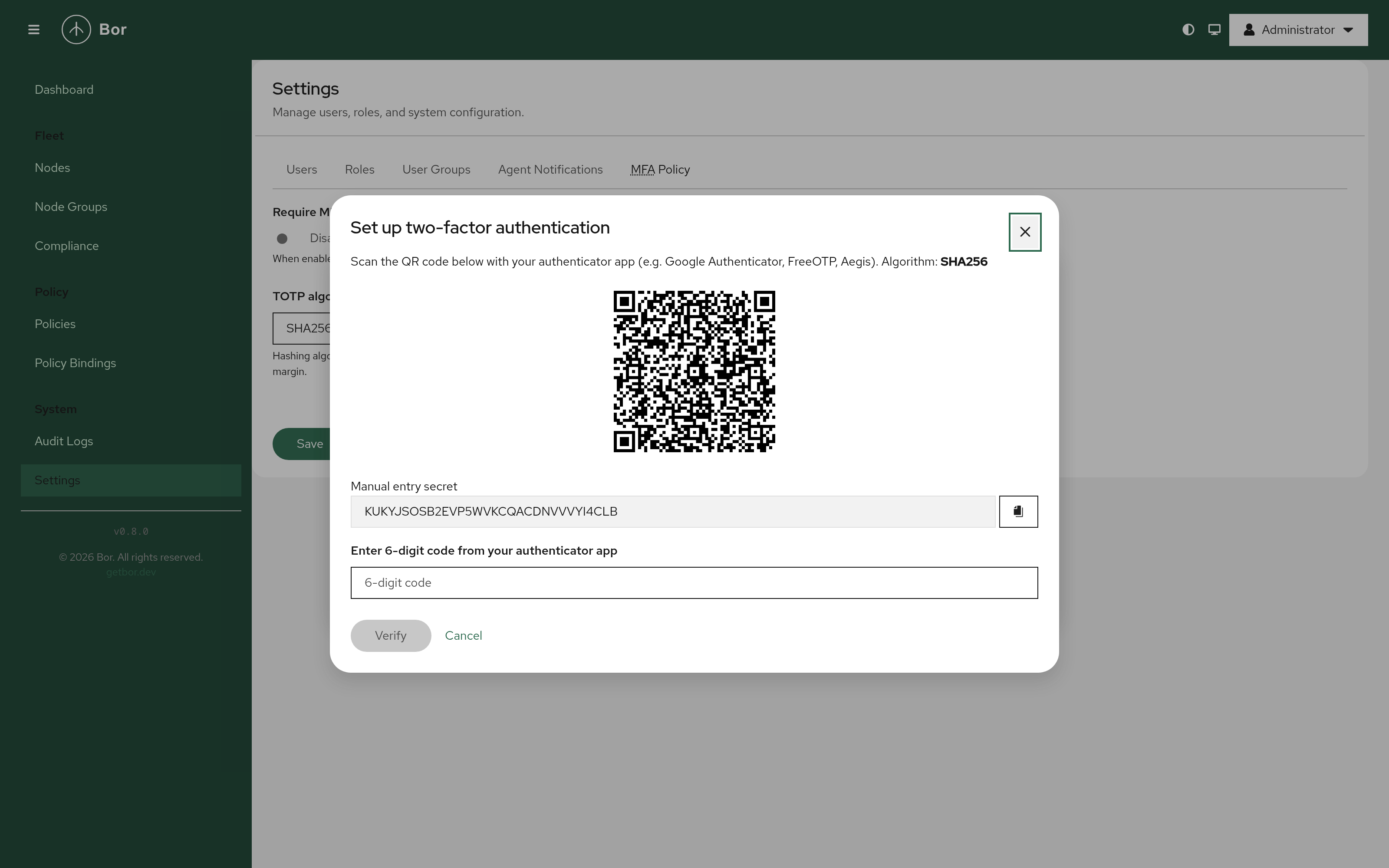
TOTP enrollment with a QR code for any authenticator app, a manual entry secret as fallback, and backup codes that must be acknowledged on completion.
Desktop Notifications
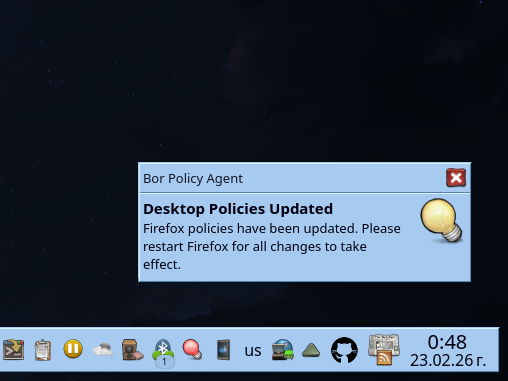
The Bor agent notifies the user on the desktop when a policy is updated, prompting them to restart affected applications for the change to take effect.