Bor v0.10.0 is out, and it is the largest release so far. Five policy types arrive at once - Disk encryption, Services & timers, SELinux, AppArmor and Software updates - the KDE Plasma type is rebuilt on a catalogue of settings, signing in asks for the second factor before the password, and the documentation has its own site. It is also the first release under the AGPL, as announced in October, and the first one with a commercial edition, Bor Enterprise, next to it; that part is at the end of this post. The complete changelog is on the GitHub release page.
Disk encryption
The DiskEncryption policy type, previewed in September, ships as designed: managed LUKS2 full-disk encryption for the whole fleet. A policy names the volumes in scope, requires them to be encrypted, enrolls unattended unlocking through the TPM 2.0 chip (systemd-cryptenroll, explicit PCR profiles) and Tang network servers (clevis, with signing keys pinned by the administrator), and escrows a per-volume recovery key on the Bor server. Bor never converts a disk: an unencrypted volume is reported as non-compliant, and the remedy is a reinstall with encryption.
- The server is never in the boot path. Unlocking is done by the initramfs, so a server outage never stops a machine from booting. The agent runs the standard tools with fixed arguments and passes key material on stdin or a pipe, never on a command line.
- Escrow with a key outside the database. Recovery keys are sealed per record with AES-256-GCM under a key-encryption key read from a file (
BOR_ESCROW_KEK_FILE); without it the feature stays off. Rotation is crash-resumable, and the KEK itself can be rotated with a background rewrap. - Help-desk recovery, deliberately heavy. Revealing a key needs its own permission (
disk_encryption:reveal, Super Admin only by default), a reason or ticket number, and a fresh re-authentication with the password and an authenticator code. Every reveal and every refusal is audited. Retired keys stay revealable for 30 days and the keys of deleted nodes for 90, then they are crypto-shredded. - Inventory and drift. Agents report every LUKS2 volume with its keyslots on every connect, even before a policy exists, so “are we actually encrypted?” is answered first. Keyslot fingerprints detect drift and cloned disks.
- Adoption.
bor-agent luks statusandbor-agent luks adoptbring existing machines under management with their current passphrase; new machines use a one-time bootstrap credential.
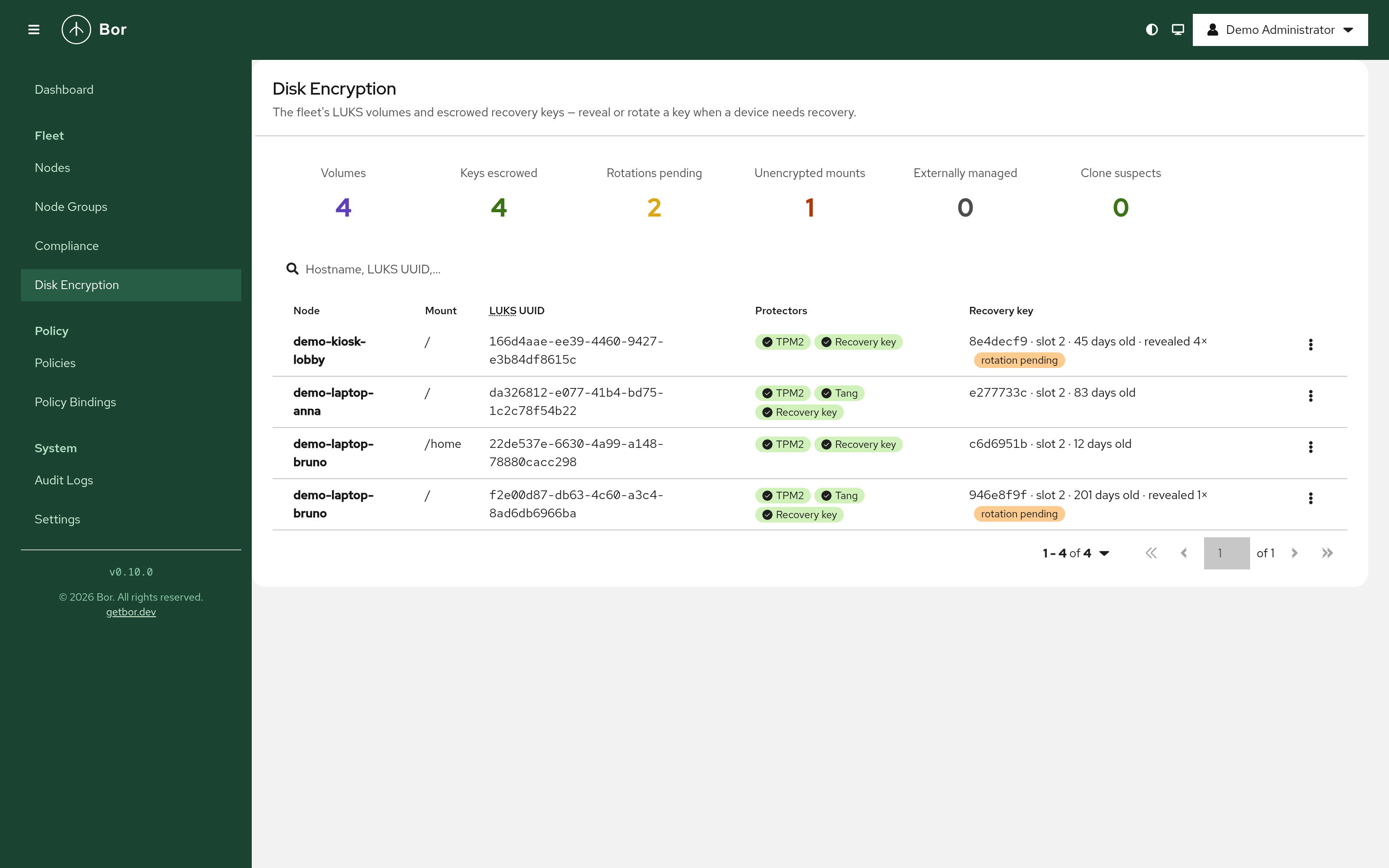
Tang servers are registered under Settings -> Tang Servers, where the server verifies their advertisements, pins the key thumbprints and flags a key change. See the Disk encryption guide for the setup, the trust model and the recovery procedure.
Services & timers
The Systemd policy type manages systemd units on nodes. For each unit a policy sets the enablement (enabled, disabled or masked) and the activity (running or stopped), overrides a timer’s schedule or a service’s restart, timeout, environment, resource and sandboxing settings through a 90-bor.conf drop-in, and can require that the last run succeeded. Several bound policies merge per unit by binding priority; on equal priority the more restrictive value wins.
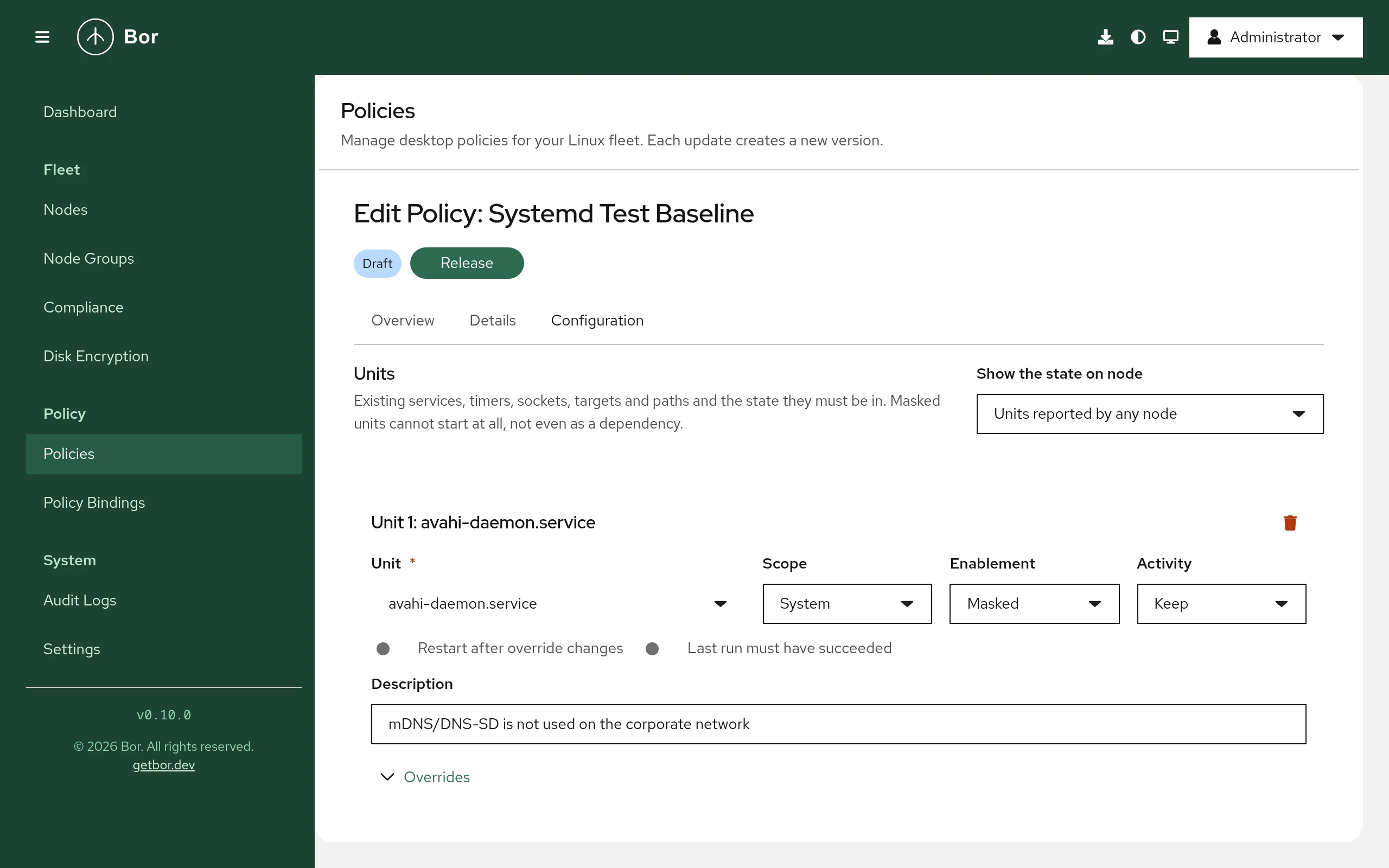
- Scheduled tasks. A policy can deploy a script or a program as
bor-<name>.servicewith a timer schedule or a boot trigger, sandboxed by default, optionally as an unprivileged user and under an AppArmor profile or SELinux context. Failed runs are non-compliant with the exit status and the tail of the task’s journal. Thebor-prefix is mandatory, so a task can never replace a vendor unit. - Units of all users. An entry scoped to All users manages the unit in every user’s
systemd --userinstance, exactly assystemctl --globalwould, and applies the state to the sessions that are logged in. - Drift handling. The agent records each unit’s original state and restores it when the unit leaves every policy, re-asserts states on a reconcile pass and within seconds of a manual change through systemd’s signals, and guards every file it writes with the tamper watcher.
- Node actions. The node page lists the units a node reported and offers Start, Stop and Restart to holders of the new
systemd:operatepermission, over the agent’s policy stream, audited assystemd.unit_action. - Guard rails. Unit names come from the inventory agents report. A confirmation is required for units whose stop can cut users off (network, SSH, display managers, firewall, time sync, audit, cron), and the server refuses a protected list outright (D-Bus, logind, journald, udev, polkit, the boot targets, the agent itself). Policies that run commands on nodes need the new
systemd:execpermission on top of the policy permissions.
Documentation: Services and timers.
SELinux and AppArmor
Two policy types manage the mandatory access control layer of nodes, one per kernel security module.
- SELinux (
Selinux, for Fedora, RHEL and SLES 16) sets the enforcement mode at runtime and in/etc/selinux/config, boolean values, per-domain permissive exceptions, the enabled state of policy modules, Bor-deployed CIL modules installed asbor-<name>at semodule priority 450, file contexts with an optional relabel, and login mappings to confined SELinux users. Nodes without SELinux report the policy inapplicable, or non-compliant when the policy says so; a switch prepares disabled nodes for the next reboot. Every module change of a sync runs in onesemodulecall. - AppArmor (
Apparmor, for Ubuntu, Debian and SLES 15) keeps AppArmor and its service on, controls the user namespace restriction of Ubuntu kernels, sets profile modes by file name or pattern through the parser’sdisable/andforce-complain/links without touching vendor files, deploys custom profiles asbor-<name>after a parser syntax check, adds site-local rules to vendor profiles inside a managed block of theirlocal/file, and adds home directory roots. Profiles that would share an executable with an existing profile are refused, because the kernel would run it unconfined.
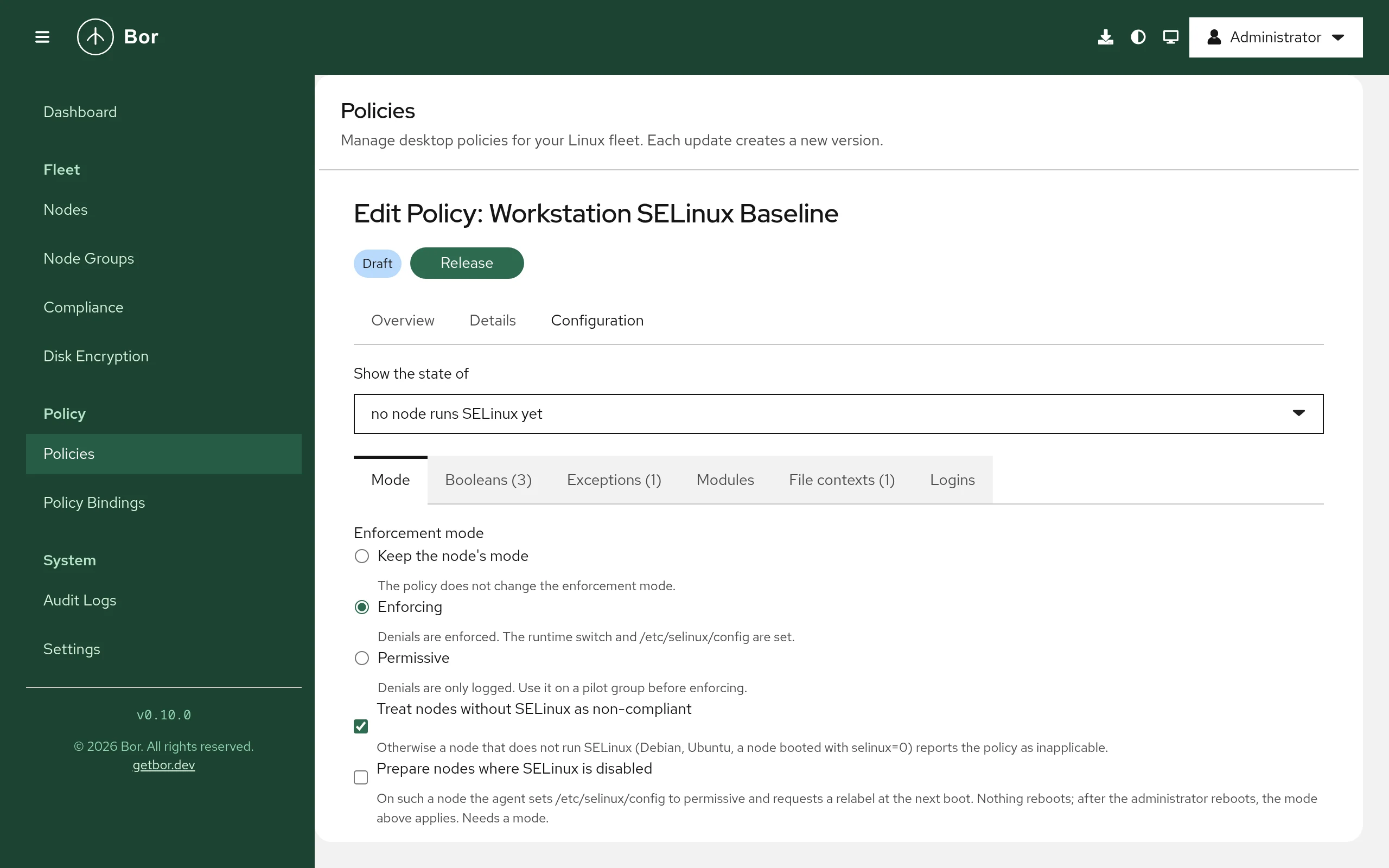
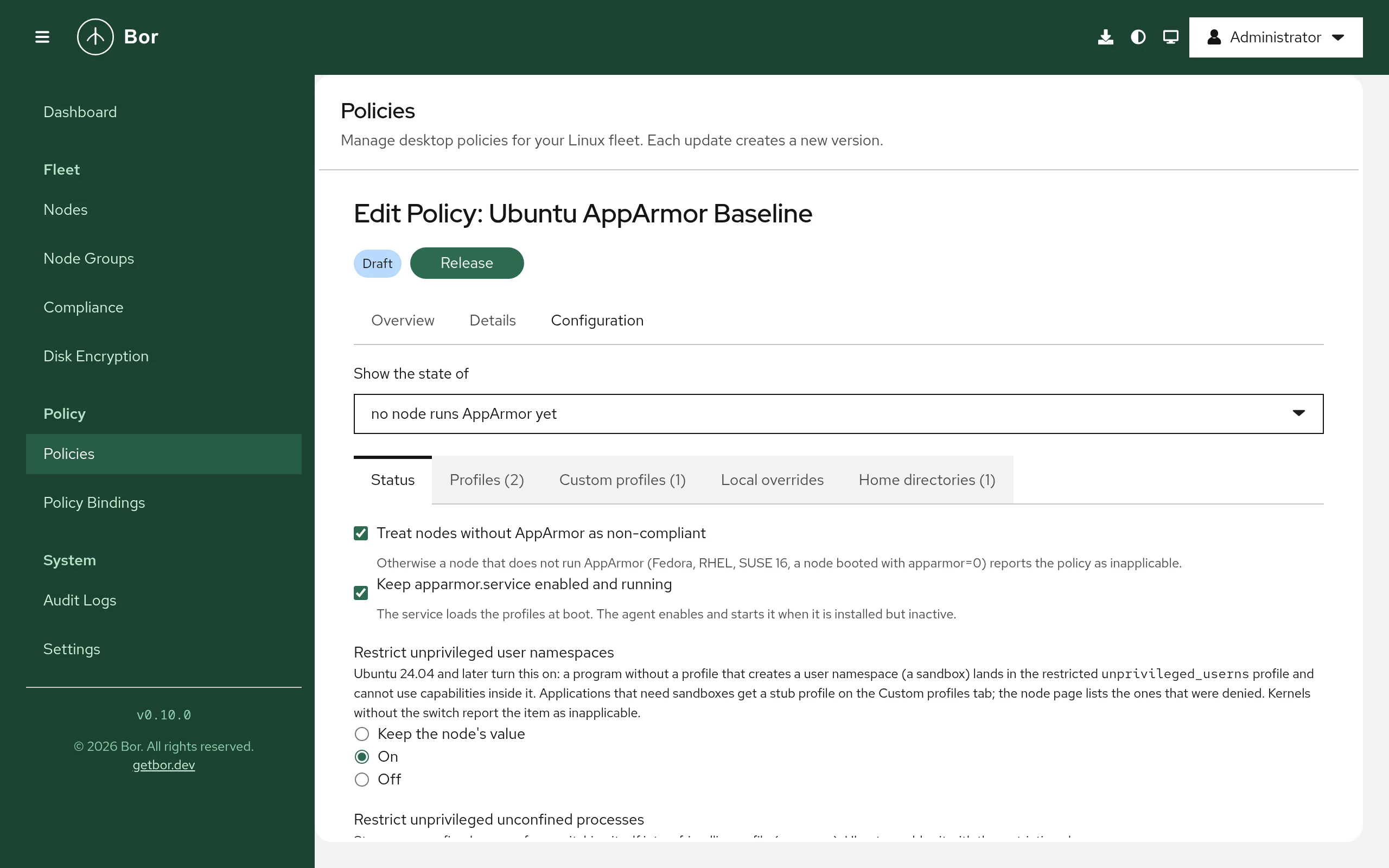
Both agents reconcile the non-file state on a periodic pass and within seconds of a manual setenforce, setsebool, semodule or profile change by following the audit journal. The editors show, per node or across the fleet, the booleans, modules and profiles agents reported, with curated switches for desktops, one-click templates and confirmations before a permissive mode or a disabled profile. A new Mandatory access control section on the node page shows what a node runs and a redacted summary of its recent denials; holders of the new mac:operate permission can ask the node for a proposal (audit2allow output or AppArmor rules derived from the denials) to review and paste into a policy. Nothing is ever applied by a proposal. Administrator-authored policy text (custom modules, profiles, contexts) needs the new mac:author permission and is audited with a hash of each text. The items that correspond to a CIS benchmark control carry the control’s number on the Compliance page.
Documentation: SELinux and AppArmor.
Software updates
The Updates policy type manages the distribution’s unattended update mechanism and the reboot after updates, instead of adding yet another updater. A policy sets what the node installs on its own (nothing, check only, security updates, all updates), the schedule as a drop-in of the engine’s timer, packages held back, and the reboot rule: never, when an update needs it, or after every run, within a daily window, only when nobody is logged in unless the reboot has been pending for a number of days, with a desktop warning before a reboot that affects users.
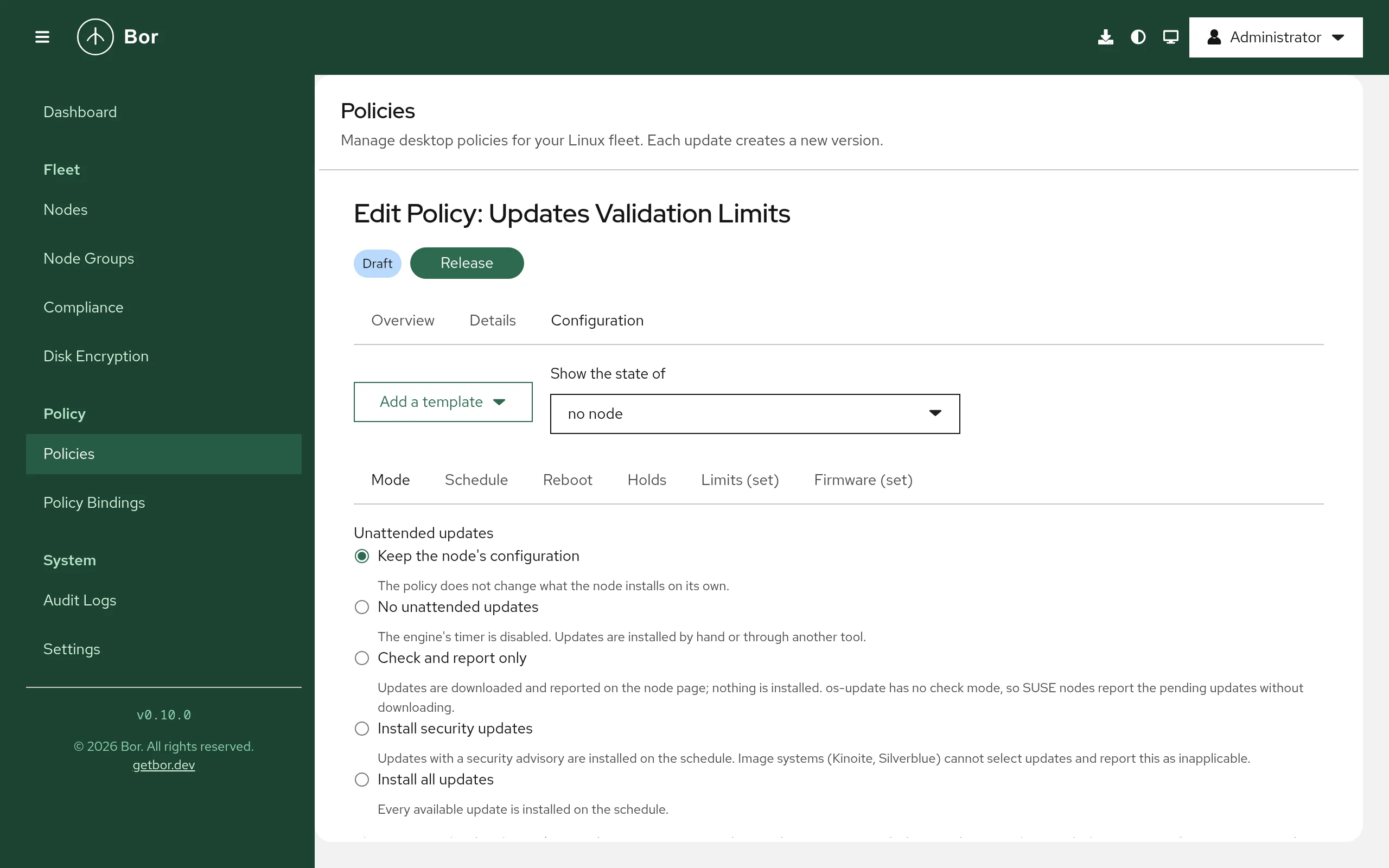
- Five engines. The agent drives
dnf-automatic(DNF 4 and 5),unattended-upgrades,os-update, rpm-ostree’s automatic update policy andtransactional-updatefor openSUSE MicroOS, Aeon, Kalpa and SLE Micro. It installs the engine package when it is missing, switches every engine’s own reboot off and decides reboots itself, and restores the original state when the node leaves the policy. - Node page and fleet views. A node shows its engine and effective mode, the last check and run, the running and newest installed kernel, whether a reboot is pending and why, and the pending updates with advisories, severities and CVE ids. The nodes list gains an Updates column and filter, the dashboard counts nodes with security updates or a reboot pending, and the pending updates export as CSV.
- Limits as compliance. A policy can set how long a security update, a pending reboot or stale package metadata may be tolerated; the items carry the CIS control Ensure updates, patches, and additional security software are installed.
- Node actions. Check for updates, Install updates now and Reboot from the node page, behind the new
updates:operatepermission and audited. Forced reboots and reboots with users logged in are off by default and always preceded by a warning. - Offline installs on Fedora store a dnf5 offline transaction that runs before the desktop comes up at the policy’s reboot. Firmware updates pending in fwupd are reported, never installed. Holding a package back is audited, since a hold keeps a vulnerable package on every node of a group.
Documentation: Software updates.
KDE Plasma, rebuilt on a catalogue
The KDE Plasma (Kconfig) policy type had a fixed list of fields. It now takes generic KConfig entries - any configuration file, group path, key and value, with KDE’s immutable, expansion, default and locale markers - and comes with a built-in catalogue of curated settings: session and shell restrictions, the Plasma desktop, application menu actions, Dolphin, Konsole, KRunner, Okular, Ark, KWallet, Kate, Spectacle, KDE PIM, screen lock, session, power, appearance, launcher favourites, input and locale, privacy, devices, the KIO proxy, System Settings modules and URL rules. Every entry documents the file, group and key it writes and the closest Windows Group Policy setting. Policies written by older versions are converted when opened.
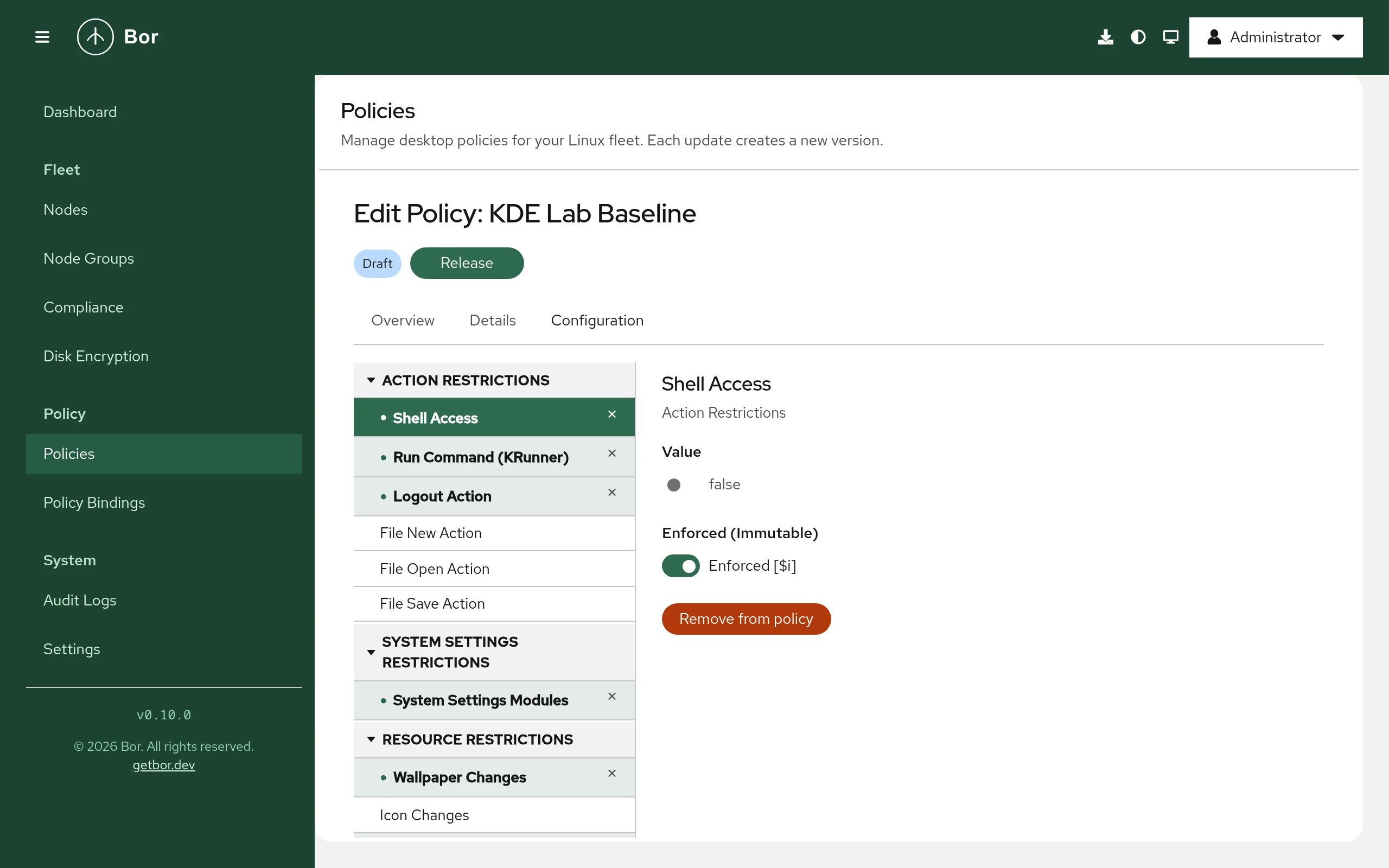
- What a node actually offers. Agents on KDE nodes report the settings described by the installed KConfigXT schemas and their System Settings modules, so a node picker in the editor shows the real options of a given machine. Optionally the agent reads the written settings back inside a logged-in session and reports user overrides of non-enforced defaults as non-compliant.
- Desktop layout. A policy can deploy a wallpaper, a Plasma panel layout script and a base global theme as a generated look-and-feel package: applied once to existing users, live to logged-in sessions, or enforced so that panels and wallpaper return to the policy at every login.
- Application packs and scoping. A Konsole profile, applications hidden from menus and launchers, and policies scoped to Unix groups, with a login hook that puts the group’s directories first in
XDG_CONFIG_DIRS. Flatpak KDE applications see the managed configuration through a system-wide override.
Just as important, the type now works on real desktops: the agent writes the keys Plasma 5 and 6 read, merges several bound policies by binding priority, and installs a Plasma environment hook ordered after the distribution’s own scripts, so Fedora’s defaults survive. Documentation: KDE Plasma.
Sign-in and MFA
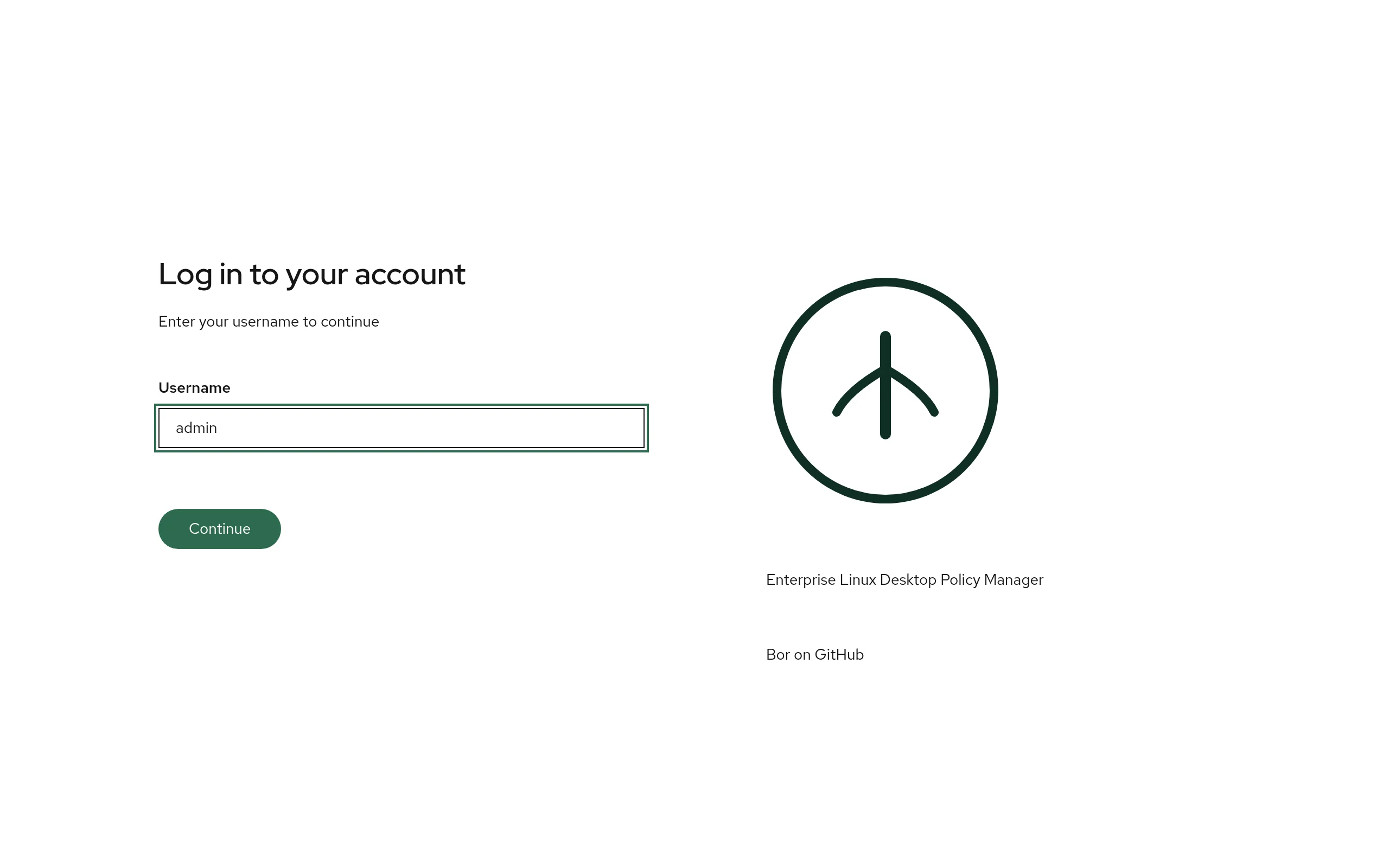
The sign-in page asks for the user name first, then the second factor, then the password. A security key completes the sign-in on its own; users without a second factor go straight from the user name to the password.
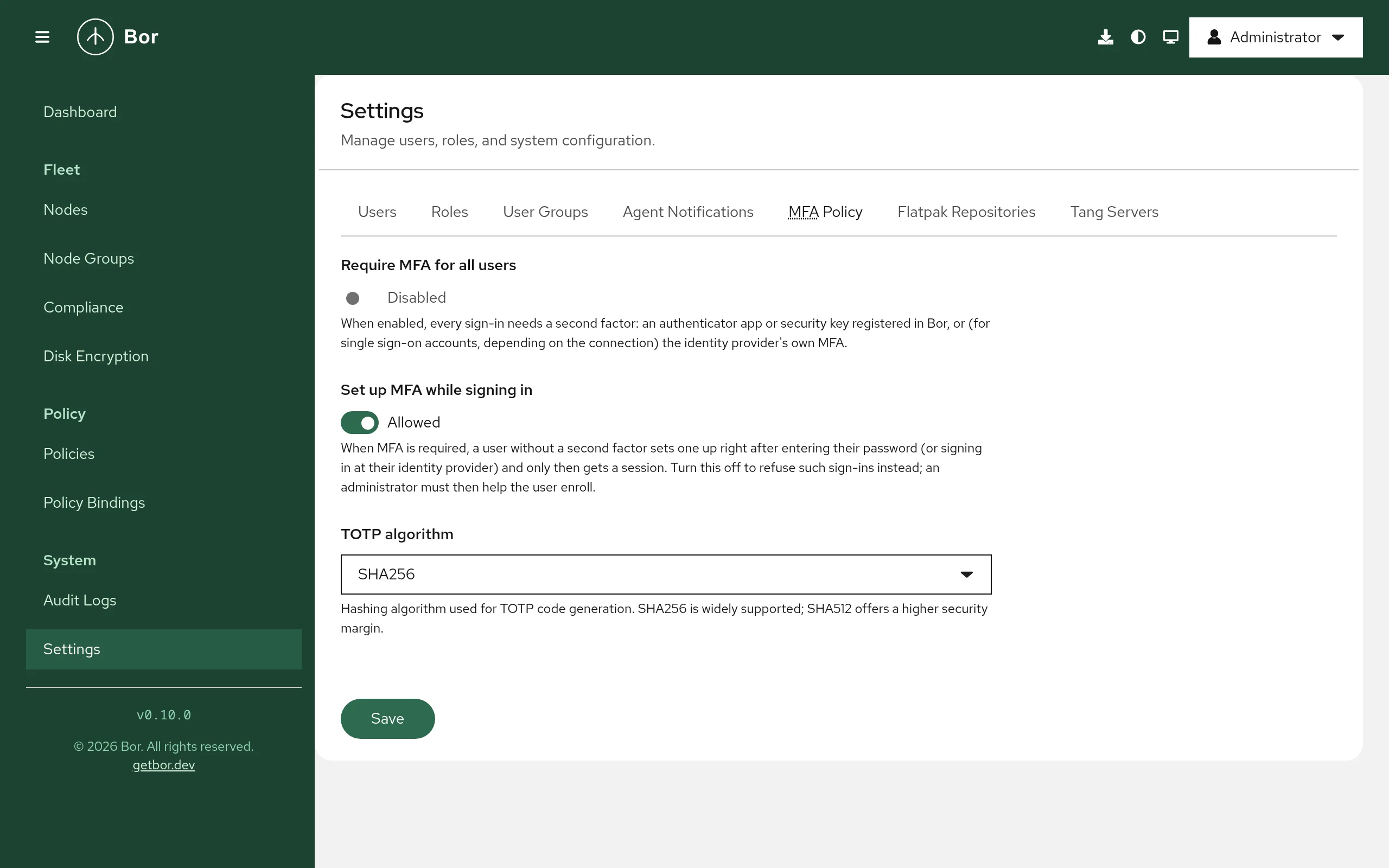
With Require MFA for all users on, a user without a second factor can now set up an authenticator app or a security key right after entering the password, and only then gets a session. Administrators choose whether to allow that or to refuse such sign-ins.
Sensitive actions, starting with revealing a recovery key, re-check the identity with a short-lived, single-use step-up token. Session revocation is precise: tokens carry their issue time, so disabling a user or changing their password invalidates exactly the sessions that existed before. User and group changes get dedicated audit events, and accounts can now be federated to an external identity provider, which is what Bor Enterprise’s single sign-on builds on. See Multi-factor authentication.
Documentation at docs.getbor.dev
The user and administrator documentation moved into the repository as an MkDocs site, published at docs.getbor.dev: installation, configuration, a page per policy type, operations, security and compliance, a permissions reference and developer documentation. The README is slimmed down and points there.
Security
- User-group roles are enforced, and every way of granting them is guarded. Roles assigned to user groups, which the UI has always offered, now grant their permissions to the group’s members; previously they had no effect. Review your user-group role assignments before upgrading. Adding a role to a user group and adding a member are privilege-escalation-guarded like direct role assignments, so a user allowed to manage groups can no longer put anyone into a group carrying permissions they do not hold themselves. Old “organization” and “group” scoped role assignments, which earlier versions accepted but never enforced, are deleted by the upgrade and refused by the API.
- Denied changes are audited as
access_deniedevents with the actor, the permission and the reason; removing a role assignment writes arevoke_roleevent. - New permissions gate the operations that reach into nodes:
systemd:execandsystemd:operate,mac:authorandmac:operate,updates:operate,disk_encryption:view,disk_encryption:revealanddisk_encryption:rotate. Super Admin holds them on upgrade; grant them to other roles explicitly. Nodes can refuse tasks, custom policy text, mode changes, reboots and actions in their agent configuration. - Tang fetches are hardened against server-side request forgery: strict URL validation, no credentials, query or fragment, and a dialer that refuses loopback, link-local, multicast and broadcast targets. LUKS2 header integers are parsed with explicit bounds.
- TOTP enrollment QR codes are rendered by the OTP library the server already used; the separate QR dependency and its image stack are gone. A time-span expression in a Services & timers policy can no longer stall the agent’s parser.
- Dependency advisories in
golang.org/x/net,golang.org/x/crypto,fast-uriandserialize-javascriptare resolved, and Go 1.26 is the minimum toolchain.
Upgrade notes
- Agents must be upgraded to v0.10.0 for the five new policy types and the rebuilt KDE Plasma type; older agents ignore policy types they do not understand and report no inventory for them. The deploy wizard rolls the upgrade out from the server itself, and the agent packages now keep the service enabled across upgrades and restart it on the new binary; earlier packages stopped and disabled it.
- Database migrations 000030 to 000046 run automatically at server start. Node group changes now reach connected agents at once, and pending enrollment tokens and the policy stream revision survive a server restart.
- Disk encryption escrow is off until
BOR_ESCROW_KEK_FILEpoints at a key file. Agent configuration gainsdisk_encryption,systemd,selinux,apparmor,macandupdatessections and newkconfigkeys; every key has a working default. - Packaging. The agent’s deb package depends on
needrestartand the rpm package recommends the dnf plugins, so a node can always tell whether an update needs a reboot; both recommendcryptsetupand suggestclevisandtpm2-tools. - Licensing. Bor is now AGPL-3.0-only, and contributions go through a Contributor License Agreement on the pull request; the background is in Bor moves to the AGPL.
- Builders need Go 1.26. The protobuf schema gained five policy messages (fields 22 to 26) and new stream event types; regenerate any external tooling built against
proto/. The full list is in the upgrade guide and the release notes.
Download
Packages for Debian/Ubuntu, RHEL/Fedora/SUSE, Alpine Linux and Arch Linux across x86_64, aarch64 and ppc64le are on the Download page, and the demo instance lets you click through the console without installing anything.
Bor Enterprise v0.10.0
Bor Enterprise is the community server plus the features that mostly matter to large organizations, as announced in October. The first release, Bor Enterprise v0.10.0, is built on community v0.10.0 and switches its features on through a license:
- Licensing that works offline. A license is a small signed file issued by the Vute customer portal, with an end date per feature; the server verifies it against the public keys built into the binary and needs no network access. Install it under Settings -> License or put it in a file for Helm and GitOps deployments, where a Kubernetes Secret mounted into the pod wins over anything installed through the UI. A renewal that fails verification keeps the previous license in force and raises a warning banner, so a typo never switches a fleet’s features off.
- Single sign-on. OpenID Connect and SAML 2.0 sign-in with single logout, MFA at the identity provider counted as the second factor, and email linking of existing accounts, where linking an administrator account needs a prior, expiring approval by another administrator. Entra ID group overage is handled.
- SCIM 2.0 provisioning of users and groups from the identity provider; Bor keeps managing which roles a provisioned group carries.
- Delegated administration. A role can be assigned for a single node group, so a site or a team manages only its own machines, policies, bindings and compliance results, while users, roles, settings, audit logs and disk encryption always need a global assignment.
- Compliance reports. Point-in-time snapshots of the fleet’s compliance - every node’s posture, the policies in force, the agent’s last result per setting with benchmark control labels, stale and unreachable markers and a score - mapped to ISO/IEC 27001:2022 Annex A, NIS2 Article 21(2) and the CIS benchmarks for RHEL 9 and Ubuntu 24.04. A report never changes after it is generated: it is stored as a canonical JSON bundle whose hash is recorded in the audit log and re-checked on every open. Reports can be scheduled and delivered by signed webhook or email, compared with an earlier report, signed off by a second person, kept under legal hold, and carry accepted waivers. Documents come as signed PDF/A-2b with optional RFC 3161 time stamps, as OCSF 1.3.0 findings for a SIEM, and as CSV. The
bor-verifytool, shipped next to the server, lets an auditor verify a report without a Bor server.
Bor Enterprise comes with commercial support from the people who build Bor. The Bor Enterprise page has the details and the contact route for a license.